Google ads adds clickable budget and bidding summary in campaign settings to speed up audits and reduce errors
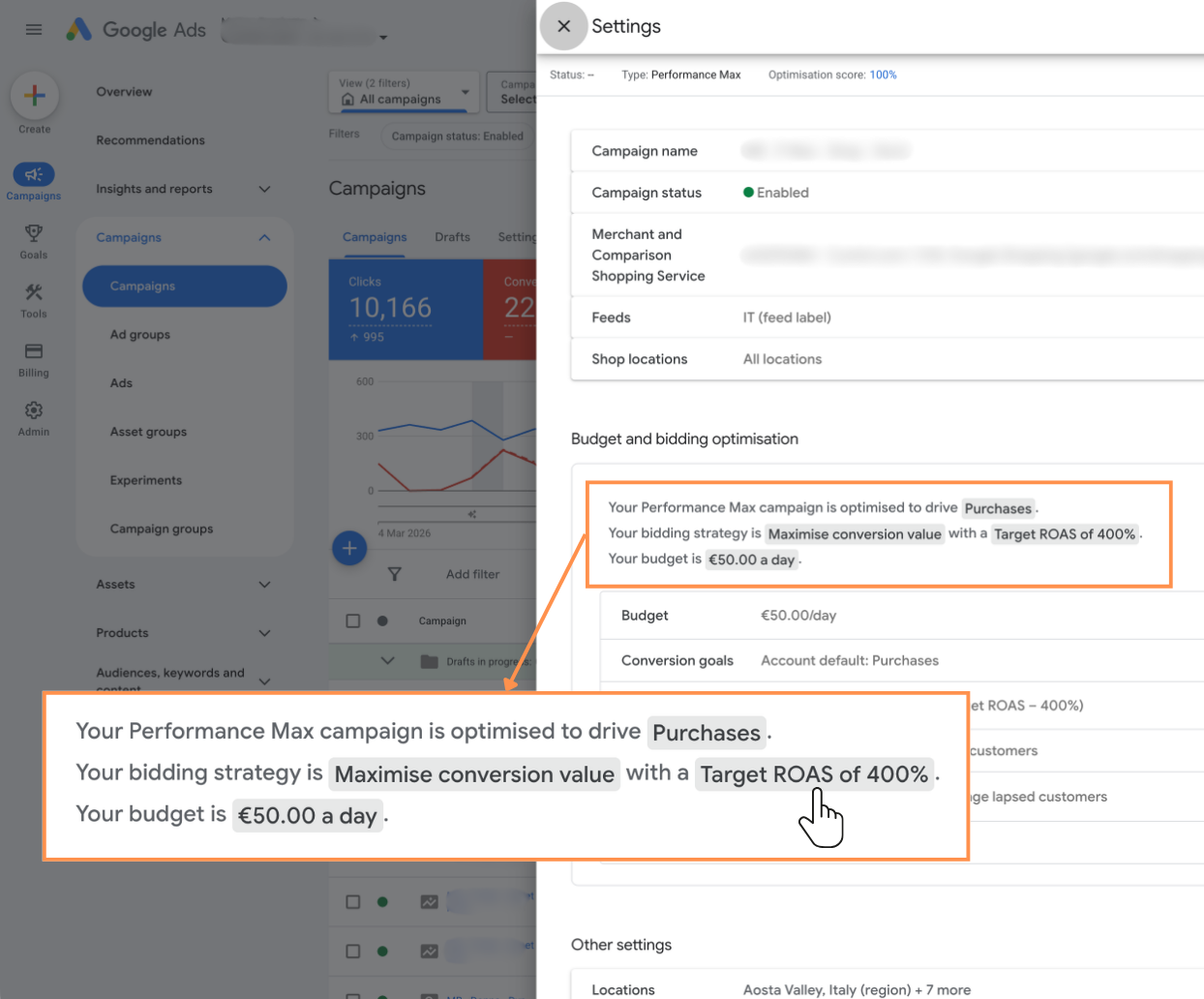
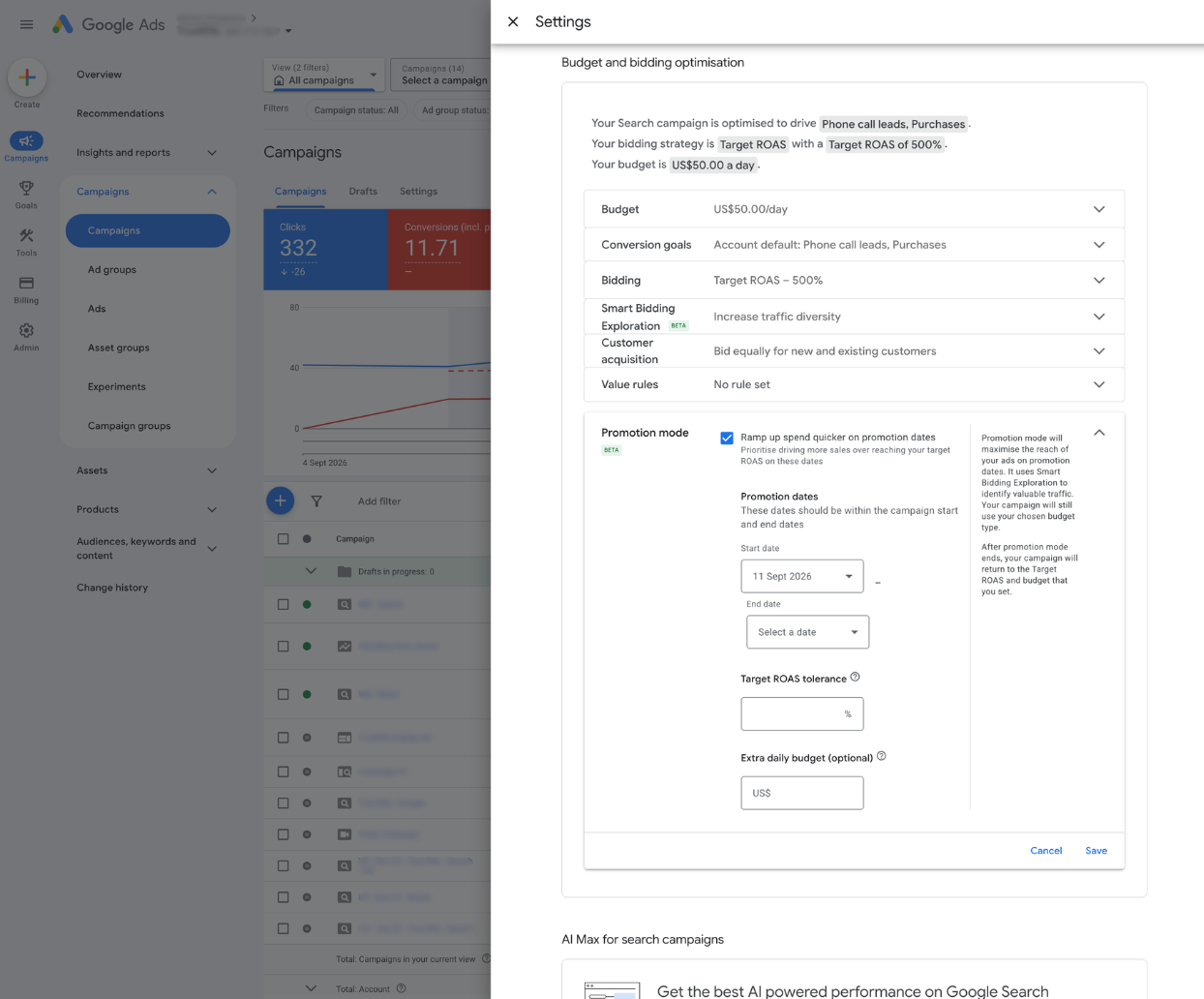
Google Ads has rolled out a small but meaningful UX change in campaign settings: a clickable budget and bidding summary strip at the top of the page. On the surface, it is just a convenience feature. In practice, it smooths out a set of very real friction points that anyone managing accounts at scale will recognize immediately.
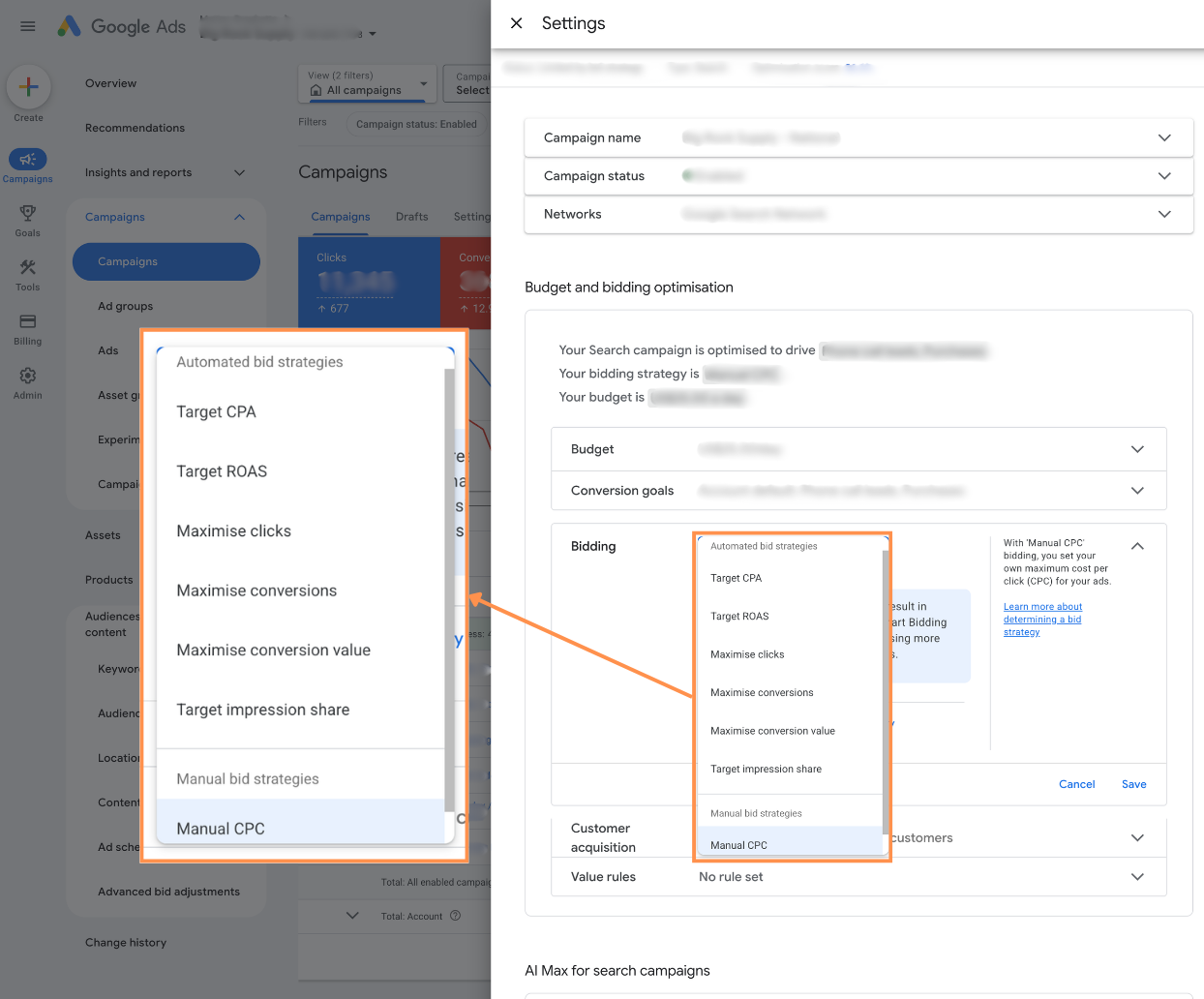
You’ll now see a summary row at the top of the Settings tab when you open a campaign. It surfaces key configuration elements such as your bid strategy type and daily budget, and turns them into in-page links. Clicking any of these highlighted terms auto-scrolls you straight to the corresponding section further down the settings page, where you can review or edit the configuration and then save.
That’s all it does—and that’s exactly why it matters.
Why this change is more useful than it looks
Most Google Ads updates fall into one of two categories: new levers (new bid strategies, new campaign types, new signals) and new interfaces around existing levers. This one is firmly in the second camp. It doesn’t change how bidding or budgeting work; it changes how quickly and reliably you can get to the controls that govern them.
If you manage only a handful of campaigns, the benefit is modest: a bit less scrolling, slightly faster checks. But for anyone working inside large, fragmented accounts—multiple markets, multiple business units, or multiple agencies touching the same structure—the cumulative impact is noticeable.
There are three main areas where this update earns its keep: navigation speed, error reduction, and process efficiency.
First, navigation speed. Settings pages in modern Google Ads campaigns are long. Between locations, languages, ad rotation, networks, additional settings, and various betas, it’s easy to lose your place. When you’re auditing or adjusting dozens of campaigns, the micro-delays of scrolling, scanning for headings, and expanding sub-sections add up. Having the core economic levers—budget and bidding—anchored at the top and one click away cuts down on that overhead. It’s not glamorous, but it’s exactly the sort of micro-optimization that matters in high-volume workflows.
Second, error reduction. Many configuration mistakes in Google Ads are not strategic; they’re operational. A campaign gets cloned with a legacy bid strategy. A test budget is never reverted. A tCPA is left misaligned with the actual value of the conversion. The new summary strip forces those details into your line of sight earlier in your workflow. Before you start tweaking targeting or ad assets, you’re reminded: here’s the bid strategy, here’s the budget, here’s the fundamental shape of how this campaign will spend. That prompt alone can catch issues before they propagate.
Third, process efficiency. Agencies and in-house teams often run standardized QA passes: weekly budget reviews, bid strategy audits, or pre-launch checks across multiple campaigns. These workflows typically involve jumping in and out of settings, verifying that each campaign conforms to an internal standard, and adjusting where necessary. The clickable summary strip shortens each of those touchpoints. When you’re reviewing 50 or 100 campaigns, shaving even a few seconds per campaign is the difference between a tedious slog and a manageable routine.
Where it fits in the broader Google Ads interface evolution
This update is consistent with a broader trend in the Google Ads UI: surfacing critical levers contextually, and reducing the need to dig through nested menus. We’ve seen this with campaign overviews, inline editing of budgets in tables, and more surfaced alerts around policy and performance issues. The clickable summary is another step toward making key settings visible from the top of the workflow rather than buried below the fold.
From a product perspective, it acknowledges a reality about how practitioners actually use the platform. When you open campaign settings, you are often there for one of a small number of reasons: to confirm or change the bid strategy, to check or adjust the budget, or to validate that the campaign still matches a template or standard. The UI now reflects that hierarchy of importance instead of treating all settings as equal.
It also reinforces the central role of budget and bidding in Google Ads optimization. Everything else—audience signals, creatives, extensions, assets—sits downstream of how the auction is instructed to behave and how much money it is allowed to move. Putting those controls in a persistent, clickable summary is a subtle reminder of where the real leverage lives.
Practical implications for audits and large accounts
The real value of this change emerges when you think in terms of workflows rather than individual clicks.
Consider a full account audit. A common pattern is to export a list of campaigns, decide on target states for budgets and bid strategies, and then work through campaigns one by one to implement or validate those decisions. Previously, you might open a campaign, click Settings, scroll, expand a section, and then adjust. Now, you open Settings, glance at the summary to confirm what’s currently in place, and click directly into the relevant section if something needs to change.
The difference is not that you can do something new; it’s that the platform is better aligned with how you already think about the task. You’re not “exploring settings”; you’re asking specific questions: Is this campaign on the right bid strategy? Is the daily budget appropriate for its role in the structure? The summary strip essentially turns those questions into clickable entry points.
In large, standardized account structures—say, dozens of local campaigns cloned from a master template—this becomes particularly useful. If your process involves enforcing consistent bid strategies (for example, all bottom-funnel campaigns on tROAS, all prospecting on Maximize Conversions with a guardrail), the summary makes it trivial to scan for outliers. Open Settings, read the strip, and you’ll immediately see if a campaign diverges from the intended pattern. The same applies to budget tiers: you can quickly catch the one campaign still running on a deprecated budget level.
Limitations and trade-offs
It’s worth being clear about what this update does not do. It doesn’t introduce new controls, new bidding logic, or any additional insight into performance. It doesn’t replace the need for a structured review process, naming conventions, or external documentation of your bidding and budgeting strategy.
It also doesn’t solve the complexity of the settings page itself. The underlying structure remains the same; the summary is essentially a navigation aid layered on top of it. If your team relies on detailed internal SOPs or checklists, you’ll still need them. The summary can support those processes, but it doesn’t substitute for them.
There’s also a minor trade-off: more information at the top of the page can sometimes create a false sense of completeness. Seeing the “headline” settings in the summary may tempt some users to skip a deeper review of other, less visible controls that still matter—such as location targeting nuances, excluded networks, or ad rotation behavior. The summary is a prioritization tool, not a comprehensive audit substitute.
A small step that compounds in real workflows
Viewed in isolation, a clickable budget and bidding summary is an incremental interface tweak. It won’t change your performance overnight, and it doesn’t alter the underlying economics of the auction. Its value emerges in the aggregate: audits that move faster, QA that feels less tedious, and fewer avoidable configuration errors slipping through.
In many ways, this is the type of change that matters most to people who live in Google Ads every day. It respects the reality that optimization is often constrained not by what the platform can theoretically do, but by how efficiently practitioners can navigate, verify, and adjust the levers that already exist.
As Google Ads continues to lean into automation and simplify surface-level choices, the subtle improvements in how we access and control core settings will be one of the quiet differentiators between accounts that are merely active and accounts that are actively, consistently well-managed.

As a Google Ads expert, I bring proven expertise in optimizing advertising campaigns to maximize ROI.
I specialize in sharing advanced strategies and targeted tips to refine Google Ads campaign management.
Committed to staying ahead of the latest trends and algorithms, I ensure that my clients receive cutting-edge solutions.
My passion for digital marketing and my ability to interpret data for strategic insights enable me to offer high-level consulting that aims to exceed expectations.
Google Partner Agency
We're a certified Google Partner Agency, which means we don’t guess — we optimize withGoogle’s full toolkit and insider support.
Your campaigns get pro-level execution, backed by real expertise (not theory).

4.9 out of 5 from 670+ reviews on Fiverr.
That’s not luck, that’s performance.
Highly recommend Matteo to set up your server side tracking. He has a deep understanding of e-commerce tracking and will go above and beyond to make sure everything is set up correctly and working 100%. If you are scaling your store this set up is non-negotiable in my opinion and there isn't many people who have this much knowledge or put the effort in to get it right. Thanks again!

avorodesign.com
I can only recommend Matteo! He was very patient, professional and very knowledgeable about GA4, Consent Mode v2, and GDPR compliance. Communication was clear, and the setup was done professionally and efficiently. Highly recommend him for anyone needing reliable tracking implementation.

www.natureiki.life
Matteo shines in the realm of online professionals. His work is not only deep in data but also complemented by his proactive communication and cooperation, setting a new standard for freelancers. If you want someone who truly exceeds expectations, look no further. Highly recommended!

www.omanbeverlysmyth.com
Exceptional Service Beyond Expectations - Outstanding Service Impeccable depth, flawless delivery, and exceptional language fluency—this service exceeded all expectations. Highly recommended. Matteo truly ROCKS!!!

ium-paris.com
Top-notch, always highly value working with Matteo. An absolute Google Ads Genius. This is approximately the 8th time I have hired him and he's helped us get 6-7 ROAS. We are excited in continuing to improve our lead flow. Hire this guy if you need Google Ads help. Thanks Matteo!

www.dleeventgroup.com
I finally found the guy who can setup server side tracking and all the ecosystem properly. I definitely recommend Matteo. He is very responsive, kind and wants to dig into things. He configured GA4, Meta, Google Ads, Outbrain and google consent v2 with Cookiebot. Thanks Matteo.

inomega.fr
MB Adv delivered exceptional work with outstanding professionalism and lots of patience, taking time to see effects of changes made and not just do the work and submit it. The proactive communication and video summaries of the work completed made working with Matteo a pleasure, as he consistently went above and beyond. Highly recommended for web analytics projects! We are already working on another project.

www.withnellsensors.co.uk
Working with Matteo on my Google Ads was a game-changer. He's not just a strategist, he's a true partner. He understood my goals and tailored a campaign that perfectly reached my target audience. I'm grateful for his expertise and dedication.

dccargo.com
Click-driven mind
with plastic-brick obsession.
We build Google Ads campaigns with the same mindset we use to build tiny brick worlds: strategy, patience, and zero tolerance for wasted pieces.
Data is our blueprint. Growth is the only acceptable outcome.