GA4 Integrations & BigQuery Export

GA4 BigQuery Export — Access Change
Free
for all standard GA4 properties. In Universal Analytics, BigQuery export required a Google Analytics 360 subscription — an enterprise tier that started at roughly $150,000 per year. GA4 makes it available to every standard property at no GA4-side charge. Google Cloud Platform bills separately for BigQuery storage and query usage past its own free tier: 10 GB active storage and 1 TB query processing per month per billing account.
Source: Google Analytics Help (answer/9358801); InfoTrust, 2026; Digital Applied, 2026
What GA4 Integrations Unlock — and Why BigQuery Changes the Picture
GA4 connects to eight Google products and external data systems. The connections range from free bidirectional links (Google Ads, Search Console) to export pipelines (BigQuery, Looker Studio) to server-side data ingestion mechanisms (Measurement Protocol, Data Import). Together they extend Google Analytics 4 beyond session-level web reporting into SQL analysis, cross-platform cost attribution, and server-side conversion tracking. The Google Analytics 4 glossary hub covers the platform overview; this pillar covers what each integration actually enables, where the real implementation gaps are, and the architecture distinguishing “export out” from “import in.”
The most consequential change between Universal Analytics and GA4 is not in the interface or the event data model — it is in BigQuery access. In Universal Analytics, raw event-level export to BigQuery was gated behind a Google Analytics 360 subscription. The UA documentation states explicitly: “This feature is only available in Analytics 360.” In GA4, BigQuery export is free for all standard properties with no premium licence required. That change gives mid-market analytics practitioners access to raw, unsampled, hit-level data for the first time without an enterprise contract — enabling SQL analysis, joining GA4 event data with CRM or ad cost tables, and building custom attribution models in BigQuery ML.
The integration surface also covers the inverse: mechanisms for sending data into GA4 from outside a browser or app session. The Measurement Protocol and Data Import handle CRM-confirmed conversions, offline events, and cross-platform ad cost — the primitives behind what most “CRM integration” documentation actually describes. Understanding the architecture as a whole is the purpose of this pillar. Practitioners building or auditing an analytics implementation should pair this with data collection and privacy for the consent implications of server-side data flows.
Key Takeaways
- BigQuery export is free for all standard GA4 properties — it required a GA360 subscription in Universal Analytics. The GA4-to-BigQuery data transfer itself carries no GA4-side charge.
- Google Cloud Platform bills separately for BigQuery storage and query usage past its free tier (10 GB storage, 1 TB queries/month). Streaming export adds a GCP legacy streaming insert charge of ~$0.05/GB.
- Daily export limits standard GA4 properties to 1 million events per day; streaming export has no event-count limit but requires a billing-enabled GCP project (not available on BigQuery Sandbox).
- Linking Google Ads to GA4 does not automatically import conversions. Imported key events default to secondary status in Google Ads — they are visible in “All conversions” reporting but do not influence Smart Bidding until manually promoted to primary.
- The Search Console link adds two report collections to GA4 with up to 16 months of data and a 48-hour processing delay. Both collections must be manually published in GA4’s Library section — they are unpublished by default.
- The Measurement Protocol is in maintenance mode per Google’s documentation. No future enhancements are planned; Google recommends the Data Manager API as the forward-looking path for new server-side implementations.
The Google Ads Link: Most-Used Integration, Most-Often Misconfigured
Linking GA4 to Google Ads is free and bidirectional in function. On the GA4 side, it enables GA4 acquisition and engagement metrics to appear in Google Ads reports. On the Google Ads side, it makes GA4 key events available as conversion action sources, GA4 audiences available for remarketing, and GA4 engagement signals available for bid strategy input. For audience sharing to function, Google Signals or user-provided data collection must be active on the GA4 property. Practitioners building out this integration should pair it with the conversions and key events pillar for the GA4-side setup and GA4 for PPC and lead generation for the downstream measurement strategy.
The critical misconfiguration: linking does not automatically import GA4 key events as Google Ads conversion actions. After linking, you must explicitly choose which key events to import in Google Ads. Each imported key event defaults to secondary conversion action status in Google Ads. Google Ads Help confirms: “Conversion actions that are based on Google Analytics key events…are set to ‘secondary’ conversion actions to prevent counting the same event twice for bidding.” A secondary conversion action appears in the “All conversions” column but does not influence Smart Bidding. To include an imported GA4 key event in bid strategy optimisation, you must manually change its action optimisation setting to primary in Google Ads — a step inside Google Ads Tools → Measurement → Conversions. The Ads-side mechanics are covered in the conversion tracking and attribution pillar.
MB Adv Agency has found that the secondary-to-primary promotion step is the most common GA4→Google Ads configuration gap in mid-market accounts. The symptom: Smart Bidding appears to optimise well against natively created Ads conversions while GA4’s richer key event set has no effect on bids — because the imported events were never promoted to primary status after the link was made.
Looker Studio: Native Connector and the API Quota Reality
Looker Studio connects natively to GA4 via the GA4 Data API. The connection is free; setup requires selecting Google Analytics as the data source within Looker Studio and choosing the relevant GA4 property. Looker Studio’s native GA4 connector documentation covers the setup. The connection surfaces the same dimensions and metrics available through GA4’s reports and explorations interface, making it the standard tool for client-facing dashboards and cross-property report blending.
GA4 Data API quotas create a real limitation for Looker Studio deployments at scale. Reports with too many widgets, date comparisons, or concurrent viewers can exceed quota limits and display errors — including “Exhausted concurrent request quota” and “Data Set Configuration Error.” This is documented and ongoing as of 2025–2026. The practitioner workaround: connect Looker Studio to BigQuery rather than the GA4 Data API directly. Search Engine Land confirms that connecting Looker Studio to BigQuery “bypasses API limits and significantly speeds up your reports” — this requires having the GA4 BigQuery export configured first. Data freshness in the Looker Studio–BigQuery setup reflects the export mode: daily export means previous-day data; streaming export means data within minutes.
The Search Console Link: Organic Data Inside GA4, with Real Limits
Linking Search Console to GA4 adds two report collections to the GA4 interface: Google Organic Search Queries (search terms, clicks, impressions, CTR, and average position from Search Console) and Google Organic Search Traffic (landing pages with combined Search Console and GA4 engagement metrics). Google’s Search Console link documentation states data covers up to 16 months, matching Search Console’s own retention window, with an 48-hour processing delay. The Google Search Console glossary hub and the GSC API and automation pillar cover deeper organic data access patterns.
Both report collections are unpublished by default in GA4. They must be manually published via the Library section in GA4’s left navigation — practitioners who have linked Search Console but cannot locate the reports have typically missed this step. A structural constraint applies: Search Console metrics in GA4 support only a limited set of dimensions (landing page, device, country) and do not support time-series charts. Only one Search Console property can be linked to a single GA4 web data stream. For deep organic analysis, Search Console itself is the canonical tool; the GA4 integration is most useful for connecting organic entry behaviour to downstream GA4 events (session engagement, key event completion) in the same interface — not as a replacement for the full Search Console Performance report.
MB Adv Agency has observed that the Search Console–GA4 link is most operationally useful for landing page analysis: identifying organic entry points that generate high engagement or key event rates in GA4 that are invisible when working in Search Console alone. The cross-dimensional view (organic query → landing page → GA4 engagement) is not reproducible from either tool individually. For programmatic access to Search Console data at scale, the GSC API is the right path.
The Full GA4 Integration Catalogue
GA4’s Admin → Product links panel exposes eight integrations. All eight are free on the GA4 side; the only cost variable is Google Cloud Platform billing for BigQuery usage past GCP’s free tier. The table below maps each integration to its capability, data direction, cost structure, and setup location. Google Tag Manager is the standard implementation layer for web events that feed GA4 and is not itself an integration in the Admin sense — it is the collection vehicle upstream of GA4.
| Integration | What it enables | Direction | Cost | Setup location |
|---|---|---|---|---|
| Google Ads | Import key events as Ads conversion actions; share GA4 audiences for remarketing; GA4 metrics visible in Ads UI | Bidirectional | Free | GA4 Admin → Product links → Google Ads |
| BigQuery | Raw event-level export; SQL analysis; custom attribution; join with CRM and ad cost data | GA4 → BigQuery | Free to export; GCP storage + query billed by Google Cloud past free tier | GA4 Admin → Product links → BigQuery |
| Looker Studio | Native GA4 connector for dashboards and client reports; connects to GA4 Data API (subject to API quotas at scale) | GA4 → Looker Studio | Free | Looker Studio → Create data source → Google Analytics |
| Search Console | Google Organic Search Queries and Traffic report collections inside GA4; up to 16 months of query data; 48h delay | Search Console → GA4 | Free | GA4 Admin → Product links → Search Console |
| Google Merchant Center | Conversion data from GA4 flows to Merchant Center for free product listing conversion attribution | GA4 → Merchant Center | Free | GA4 Admin → Product links → Merchant Center |
| Firebase | App stream data flows into the same GA4 property as web data; unified web + app reporting in one property | Firebase → GA4 | Free | Firebase console → Link to GA4 property |
| Measurement Protocol | HTTP API for server-side event sending; CRM callback events; kiosk or offline interactions outside browser/app sessions | External → GA4 | Free (maintenance mode — no future enhancements planned) | developers.google.com/analytics (HTTP API) |
| Data Import | Upload cost data, offline events, or user-level attributes via CSV or API; up to 10 data sources; 24h processing time | External → GA4 | Free | GA4 Admin → Data display → Data import |
The Google Merchant Center glossary hub covers the Merchant Center side of the GA4–Merchant Center link in depth. For Firebase, the native relationship between Firebase and GA4 means organisations with both a web property and a native app share the same GA4 property and event model — Firebase apps use the GA4 event model natively via the Firebase SDK.
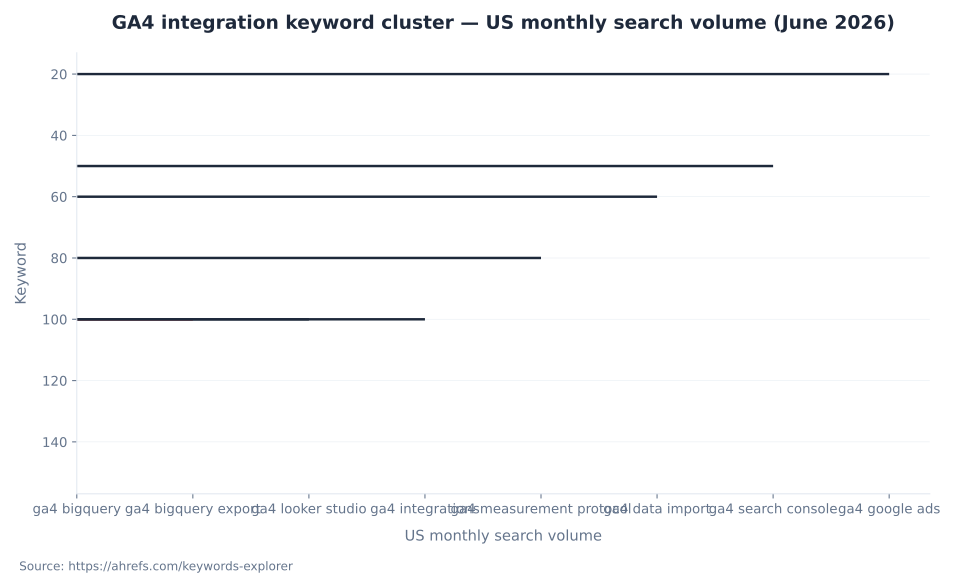
GA4 integration keyword cluster — US monthly search volume (June 2026)
BigQuery Export Mode Comparison
Both daily and streaming export can run simultaneously on the same GA4 property. The choice between them depends on data freshness requirements, GCP billing tolerance, and whether the BigQuery Sandbox is adequate for the workload. The comparison below uses figures from Google’s BigQuery Export setup documentation and BigQuery Export overview, fetched June 2026.
| Dimension | Daily (batch) export | Streaming export |
|---|---|---|
| Data freshness | Previous day’s events; typically available by early afternoon in reporting time zone | Current-day data within minutes; intraday table continuously updated |
| Table name pattern | events_YYYYMMDD |
events_intraday_YYYYMMDD (plus daily table at end of day) |
| Event limit (standard properties) | 1 million events/day (GA4 360: up to 20 billion) | No event-count limit |
| GCP streaming insert charge | None | ~$0.05/GB (~600,000 events per GB) |
| BigQuery Sandbox compatible | Yes (Sandbox tables expire after 60 days) | No — requires billing-enabled GCP project |
| Best use case | Daily reporting, cost analysis, most SQL workloads | Real-time dashboards, same-day anomaly detection, high-volume sites |
Sending Data into GA4: Measurement Protocol and Data Import
GA4’s integration architecture covers both directions: exporting event data out (BigQuery, Looker Studio) and importing external data in. Two mechanisms handle the inbound direction. Neither is a point-and-click CRM connector — both require implementation work. The term “CRM integration” in most GA4 documentation refers to using these primitives to augment GA4 with CRM signals. The events and parameters pillar covers the event model that both mechanisms write into.
The Measurement Protocol is an HTTP-based API for sending server-side events directly to GA4 collection servers. Google’s Measurement Protocol documentation now states explicitly: “The Measurement Protocol is now in maintenance mode. No future enhancements are planned.” Google recommends the Data Manager API as the forward-looking path for new server-side integrations. The protocol continues to function for existing implementations; new builds should evaluate the Data Manager API. A client_id (web) or app_instance_id (app) from an existing GA4 session is required to join Measurement Protocol events with online user data — the protocol supplements standard tag-based collection rather than replacing it. Data Import is a file-based or API-based mechanism for uploading structured data — ad cost data, offline events, or user-level attributes — to GA4. Up to 10 data sources can be created for event data imports; imported data can take up to 24 hours to appear in GA4 reports. Google’s Data Import documentation covers the data types and requirements.
| Method | Typical use case | Session join requirement | Implementation effort |
|---|---|---|---|
| Measurement Protocol | CRM-confirmed offline conversions; kiosk events; server-to-server callbacks | Yes — client_id or app_instance_id required to join to existing session |
High — custom server-side code; maintenance-mode status means new builds should evaluate Data Manager API |
| Data Import: Offline events | Offline store visits, phone call conversions matched back to GA4 sessions | Yes — client_id must match a GA4 session |
Medium — CSV or API pipeline |
| Data Import: Cost data | Ad spend from non-Google platforms (Meta Ads, LinkedIn Ads) for cross-platform ROAS in GA4 | No — joined by session source/medium/campaign | Medium — CSV or automated export pipeline |
| Data Import: User data | CRM lifetime value segments or user attributes uploaded by client_id for audience enrichment |
Yes — client_id must match a GA4 session |
Medium-high — CRM integration + pipeline |

Need a GA4 measurement audit?
BigQuery export configuration, Google Ads conversion import status, Search Console link validation, and Data Import pipeline review — MB Adv Agency audits the full GA4 integration stack.
Request a GA4 audit →GA4 BigQuery Export: Free Access, GCP-Billed at Scale
The GA4 BigQuery export is free for all standard properties. There is no GA4-side charge for enabling or running the export. Google’s BigQuery Export overview documentation confirms this directly; third-party editorial sources including InfoTrust and Digital Applied both confirm that what required a $150,000/year GA360 licence in Universal Analytics is now standard for every GA4 property. Google Cloud Platform bills separately for BigQuery storage and query usage past GCP’s own free tier: 10 GB of active storage per month and 1 TB of query processing per month per billing account are included at no cost. Production-scale usage above those thresholds incurs standard BigQuery pricing.
Streaming export adds one additional cost variable: a legacy streaming insert charge of $0.05 per GB (roughly 600,000 events per GB) at the GCP level. This is a GCP infrastructure charge, not a GA4 charge. Both daily and streaming export can be enabled simultaneously. For ecommerce properties running high event volumes, the BigQuery export is where the real analytical leverage is: SQL queries against the exported tables can power custom attribution models, LTV analysis, and session-path aggregations that GA4’s native interface cannot produce.
“Free access tier, GCP-billed at scale” is the accurate framing. A standard mid-market property exporting daily batch data at moderate event volumes will often stay within GCP’s free tier entirely. Large-volume or streaming configurations will incur GCP costs — but those costs are GCP infrastructure costs, not a GA4 subscription gate.
Daily Export vs. Streaming Export: Two Modes, Different Trade-offs
The BigQuery export offers two modes. Daily (batch) export produces one file of previous-day events per day, typically available by early afternoon in the property’s reporting time zone. Standard GA4 properties are limited to 1 million events per day on the daily export; GA4 360 properties extend to up to 20 billion events per day. Tables use the naming pattern events_YYYYMMDD. Daily export is compatible with the BigQuery Sandbox (no billing account required, though Sandbox tables expire after 60 days and streaming is not available on Sandbox). Google’s BigQuery Export setup documentation is the primary reference for limits and configuration.
Streaming export writes events to a continuously updated intraday table (events_intraday_YYYYMMDD) within minutes of collection. No daily event-count limit applies to streaming. Streaming is not available on the BigQuery Sandbox — a billing-enabled GCP project is required. For most mid-market standard properties, the 1 million events/day daily limit is not a practical constraint: a property would need to sustain roughly 694 events per minute throughout a full day to approach it. The limit is relevant primarily for very high-traffic e-commerce or media properties. GA4 360 properties also have access to a third “fresh daily” export mode that delivers data typically by 5am, with batched updates within 60 minutes; standard properties do not have access to this mode.
BigQuery access change
$0
GA4-side cost for BigQuery export on all standard properties. In Universal Analytics this required a GA360 subscription starting at ~$150,000/year. Source: Google Analytics Help (answer/9358801); Digital Applied, 2026.
Daily export limit (standard)
1M
Events per day on the daily BigQuery export for standard GA4 properties. GA4 360 properties extend to 20 billion events/day. Source: Google Analytics Help (answer/9823238), June 2026.
Search Console data retention
16 mo
Maximum data window available in GA4’s Search Console report collections, matching Search Console’s own retention limit. Data is delayed ~48 hours. Source: Google Analytics Help (answer/10737381).
Streaming insert cost (GCP)
$0.05/GB
Legacy streaming insert charge for GA4 streaming BigQuery export (~600,000 events per GB). This is a GCP infrastructure charge, not a GA4 subscription cost. Source: Google Cloud SKU documentation, 2025–2026.
Frequently Asked Questions
Is GA4 BigQuery export free?
The GA4-to-BigQuery data transfer itself is free for all standard GA4 properties — there is no GA4-side or Google Analytics subscription charge for enabling or running the export. In Universal Analytics, this feature was gated behind a GA360 subscription. In GA4, it is available to every standard property at no GA4 cost. What does cost money: Google Cloud Platform bills separately for BigQuery storage and query usage past GCP’s own free tier. The free tier includes 10 GB of active storage per month and 1 TB of query processing per month per billing account. Production-scale usage above those thresholds incurs standard BigQuery pricing. Streaming export additionally incurs a legacy streaming insert charge of $0.05 per GB of data streamed. These are GCP infrastructure costs, not GA4 costs. A standard mid-market property exporting daily batch data at moderate event volumes will often stay entirely within GCP’s free tier. Large-volume or streaming configurations will incur GCP costs at scale.
What does linking Google Ads to GA4 do?
Linking GA4 to Google Ads is free and enables capabilities on both sides. In GA4: Google Ads performance metrics become visible in GA4 acquisition reports. In Google Ads: GA4 key events become available as conversion action sources, GA4 audiences become available for remarketing, and GA4 engagement signals become available for Smart Bidding. The critical detail: linking does not automatically import GA4 key events as Google Ads conversions. After linking, you must explicitly choose which key events to import in Google Ads. Each imported key event defaults to secondary conversion action status in Google Ads — visible in “All conversions” reporting but not used by Smart Bidding. To include an imported GA4 key event in bid strategy optimisation, you must manually change its status to primary inside Google Ads under Tools → Measurement → Conversions. Accounts that link GA4 and Google Ads, observe the key events appearing in the conversion list, and assume Smart Bidding now optimises against them are operating on a false premise if the promotion step was skipped.
What is the difference between GA4 BigQuery daily and streaming export?
Daily (batch) export produces one file per day of previous-day events, typically available by early afternoon in the property’s reporting time zone. Standard GA4 properties are limited to 1 million events per day on the daily export; GA4 360 properties extend to up to 20 billion events per day. Tables are named events_YYYYMMDD. Daily export is compatible with the BigQuery Sandbox (no billing account required, though Sandbox tables expire after 60 days). Streaming export writes events to a continuously updated intraday table (events_intraday_YYYYMMDD) within minutes of collection. No daily event-count limit applies to streaming. Streaming is not available on the BigQuery Sandbox — a billing-enabled GCP project is required. Streaming export incurs an additional GCP legacy streaming insert charge of $0.05 per GB. Both modes can run simultaneously. For most mid-market standard properties, the 1 million events/day daily limit is not a practical constraint — reaching it requires sustaining roughly 694 events per minute throughout a full day.
Can GA4 integrate with a CRM?
GA4 does not have a native point-and-click CRM connector. CRM integration uses two GA4 primitives that require implementation work: the Measurement Protocol and Data Import. The Measurement Protocol is an HTTP API for sending server-side events directly to GA4 — the primary use case is CRM-confirmed offline conversions (when a lead closes in the CRM, the conversion event is sent back to GA4 server-side). A client_id from the user’s original GA4 session is required to join the event correctly; this means the client_id must be captured and passed to the CRM at the point of original web interaction. The Measurement Protocol is currently in maintenance mode per Google’s documentation — no future enhancements are planned, and Google recommends evaluating the Data Manager API for new server-side implementations. Data Import provides a CSV or API path for uploading offline events or user-level CRM attributes (such as lifetime value segments) into GA4 by matching on client_id. Neither mechanism is a turnkey solution; both require custom development or a scheduled pipeline.
What does the Search Console link add to GA4?
Linking Search Console to GA4 adds two report collections to the GA4 interface: Google Organic Search Queries (search terms, clicks, impressions, CTR, and average position sourced from Search Console) and Google Organic Search Traffic (landing pages with combined Search Console and GA4 engagement metrics). Data covers up to 16 months with an 48-hour processing delay. Both collections are unpublished by default in GA4 — they must be manually published via the Library section in GA4’s left navigation. A structural constraint applies: Search Console metrics in GA4 support only a limited set of dimensions (landing page, device, country) and do not support time-series charts. Only one Search Console property can be linked to a single GA4 web data stream. The integration is most useful for connecting organic entry behaviour to downstream GA4 events in the same interface. For deep organic analysis, Search Console itself remains the canonical tool; the GA4 integration is not a replacement for the full Performance report.
MB Adv Agency
Ready to connect GA4 to your measurement stack?
GA4 integrations are audit territory. Whether it’s a misconfigured Google Ads conversion import, an untested BigQuery pipeline, or a Measurement Protocol implementation that needs the Data Manager API upgrade path evaluated — the right place to start is a structured review. Get in touch to discuss your setup, or explore the full Google Analytics 4 glossary to build context across the platform.
Talk to us →Data and methodology: Search volume figures from Ahrefs Keywords Explorer (US, June 2026, operator-supplied via data/google-analytics-4/integrations-and-bigquery.json). BigQuery export limits, modes, and GCP cost figures from Google Analytics Help (answer/9823238, answer/9358801), Google Cloud Documentation (docs.cloud.google.com/bigquery/docs/sandbox), and Google Cloud SKU documentation for legacy streaming insert pricing (confirmed via multiple secondary sources including costimizer.ai and airbyte.com, 2025–2026). Google Ads link mechanics and secondary-to-primary conversion status from Google Ads Help (answer/10632359). Search Console link behaviour from Google Analytics Help (answer/10737381). Measurement Protocol maintenance-mode status from Google Developers (developers.google.com/analytics/devguides/collection/protocol/ga4), fetched June 2026. Data Import limits from Google Analytics Help (answer/10325025). All mbadv attributions are qualitative observations from client work — no specific client metrics appear in this article. Reviewed by MB Adv Agency, June 2026.

As a Google Ads expert, I bring proven expertise in optimizing advertising campaigns to maximize ROI.
I specialize in sharing advanced strategies and targeted tips to refine Google Ads campaign management.
Committed to staying ahead of the latest trends and algorithms, I ensure that my clients receive cutting-edge solutions.
My passion for digital marketing and my ability to interpret data for strategic insights enable me to offer high-level consulting that aims to exceed expectations.
Google Partner Agency
We're a certified Google Partner Agency, which means we don’t guess — we optimize withGoogle’s full toolkit and insider support.
Your campaigns get pro-level execution, backed by real expertise (not theory).

4.9 out of 5 from 670+ reviews on Fiverr.
That’s not luck, that’s performance.
Highly recommend Matteo to set up your server side tracking. He has a deep understanding of e-commerce tracking and will go above and beyond to make sure everything is set up correctly and working 100%. If you are scaling your store this set up is non-negotiable in my opinion and there isn't many people who have this much knowledge or put the effort in to get it right. Thanks again!

avorodesign.com
I can only recommend Matteo! He was very patient, professional and very knowledgeable about GA4, Consent Mode v2, and GDPR compliance. Communication was clear, and the setup was done professionally and efficiently. Highly recommend him for anyone needing reliable tracking implementation.

www.natureiki.life
Matteo shines in the realm of online professionals. His work is not only deep in data but also complemented by his proactive communication and cooperation, setting a new standard for freelancers. If you want someone who truly exceeds expectations, look no further. Highly recommended!

www.omanbeverlysmyth.com
Exceptional Service Beyond Expectations - Outstanding Service Impeccable depth, flawless delivery, and exceptional language fluency—this service exceeded all expectations. Highly recommended. Matteo truly ROCKS!!!

ium-paris.com
Top-notch, always highly value working with Matteo. An absolute Google Ads Genius. This is approximately the 8th time I have hired him and he's helped us get 6-7 ROAS. We are excited in continuing to improve our lead flow. Hire this guy if you need Google Ads help. Thanks Matteo!

www.dleeventgroup.com
I finally found the guy who can setup server side tracking and all the ecosystem properly. I definitely recommend Matteo. He is very responsive, kind and wants to dig into things. He configured GA4, Meta, Google Ads, Outbrain and google consent v2 with Cookiebot. Thanks Matteo.

inomega.fr
MB Adv delivered exceptional work with outstanding professionalism and lots of patience, taking time to see effects of changes made and not just do the work and submit it. The proactive communication and video summaries of the work completed made working with Matteo a pleasure, as he consistently went above and beyond. Highly recommended for web analytics projects! We are already working on another project.

www.withnellsensors.co.uk
Working with Matteo on my Google Ads was a game-changer. He's not just a strategist, he's a true partner. He understood my goals and tailored a campaign that perfectly reached my target audience. I'm grateful for his expertise and dedication.

dccargo.com
Click-driven mind
with plastic-brick obsession.
We build Google Ads campaigns with the same mindset we use to build tiny brick worlds: strategy, patience, and zero tolerance for wasted pieces.
Data is our blueprint. Growth is the only acceptable outcome.