GA4 Key Events and Conversions: Attribution, Tracking & Setup (2026)

GA4 Key Events and Conversions: The March 2024 Rename
On March 21, 2024, Google renamed GA4 conversions to key events. The change was platform-wide and permanent: every admin toggle, every report column, every API field that read "conversion" in GA4 now reads "key event." There is no setting to revert it. Understanding what drove this change — and what it means for how Google Analytics 4 measures your most important actions — is the foundation of accurate measurement in 2026.
The rename enforced a conceptual boundary that had always existed but was poorly communicated in Universal Analytics and early GA4. Before March 21, 2024, the word "conversion" appeared in both GA4 and Google Ads, labeling related but distinct things. Practitioners compared the two "conversions" columns and found they never matched — then spent hours debugging a discrepancy that was architectural, not a bug.
The new vocabulary resolves the ambiguity cleanly:
- GA4 side: an important on-site action measured across all traffic, all channels, all reports = key event
- Google Ads side: a key event imported into Google Ads, used to evaluate campaign performance and power Smart Bidding = conversion
You mark a key event in GA4. You then create a Google Ads conversion based on that key event inside Google Ads. The two are related but distinct measurements, attributed by separate models, scoped to different data sets, and reported in different platforms. The columns will never match exactly — and this is by design, not a misconfiguration.
Key distinction for 2026: The word "conversion" inside GA4's own interface now refers exclusively to a key event that has been imported into Google Ads. If no Ads account is linked, GA4 has no conversions column — only a key events column. Any pre-March 2024 documentation describing "GA4 conversions" is describing what is now called a key event. The setup process is unchanged; only the label differs. (Google Analytics Help, 2024)
This pillar covers the complete measurement layer: how the GA4 event model produces raw event data, how you promote events to key events, how GA4 attributes those key events across channels using its remaining attribution models, and how key events travel into Google Ads where they are re-attributed and counted as campaign conversions. The conversion tracking architecture in Google Ads is the downstream recipient of everything configured in GA4.
GA4 for PPC and lead generation depends entirely on key events being correctly configured, counted, and attributed before a single key event reaches Smart Bidding. A misconfigured counting method or wrong lookback window silently distorts every downstream report and every bid signal. The sections below explain each configuration layer and the non-obvious behaviors that produce measurement gaps.
Key Takeaways
- GA4 renamed "conversions" to key events on March 21, 2024. The rename is complete, permanent, and platform-wide. The word "conversion" in GA4 now refers only to a key event imported into Google Ads.
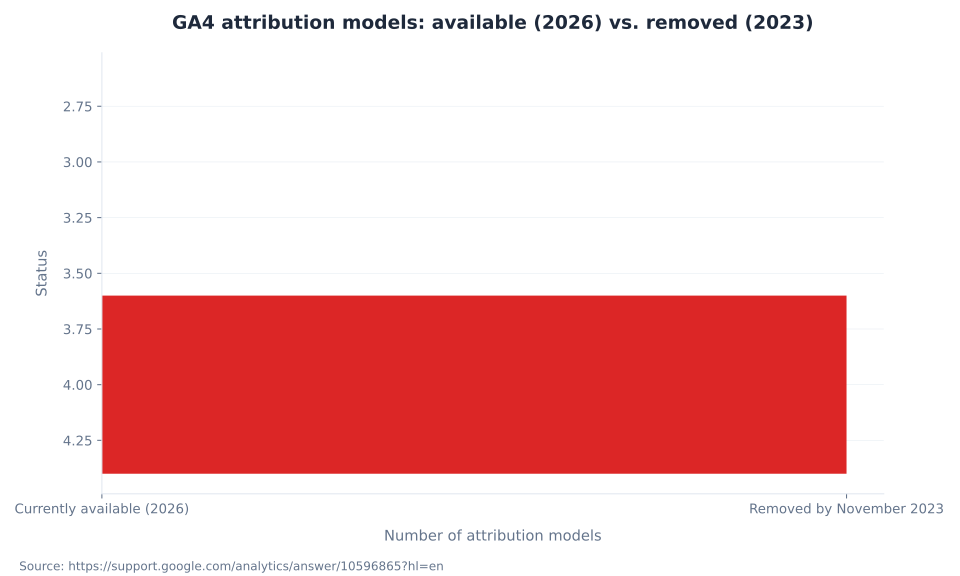
- GA4 has three attribution models in 2026: data-driven attribution (the property default), paid-and-organic last click, and Google paid channels last click. First-click, linear, time-decay, and position-based models were removed by November 2023.
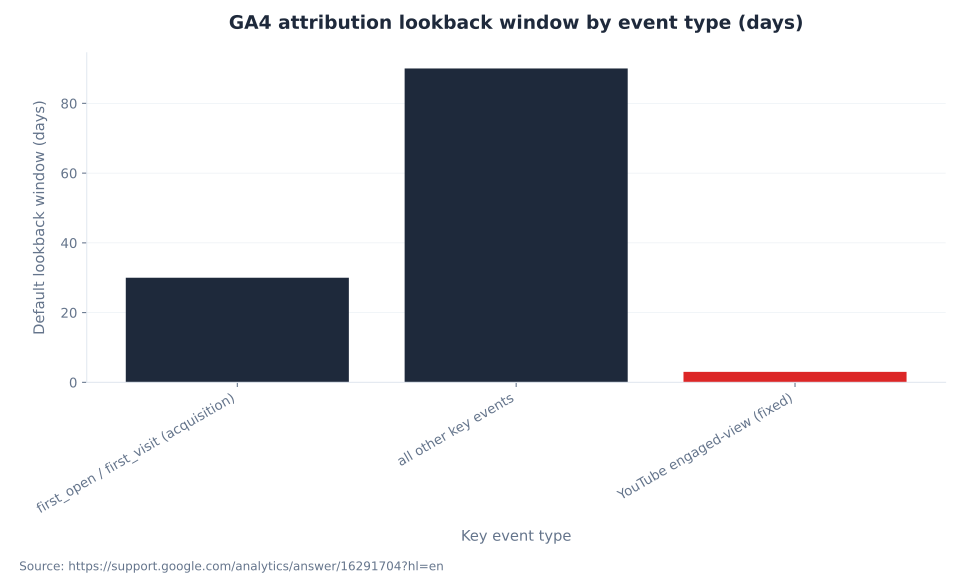
- The default lookback window is 90 days for most key events and 30 days for acquisition events (
first_open,first_visit). YouTube engaged-view attribution has a fixed 3-day window that cannot be changed. - Lookback window changes are not retroactive. Historical data does not reprocess after a window change. The full benefit of a window extension takes time to appear in reports.
- The default counting method is once per event for key events created natively in GA4, and once per session for key events migrated from UA goals. These defaults apply per key event, not per property — an inherited property requires a per-event audit.
- GA4 key events imported into Google Ads via the GA4 interface default to secondary conversion action status. To use them for Smart Bidding, manually promote them to primary in Google Ads.
- GA4 attribution and Google Ads attribution are separate models trained on different data scopes. The two platforms will never report identical conversion totals. This is architecture, not a bug.
Conversions vs. Key Events: The Complete Terminology Map
The March 2024 rename introduced two parallel vocabularies that must be kept distinct. GA4 uses "key event" for what it measures. Google Ads uses "conversion" for what it optimizes. The table below maps every parallel concept so reports from both platforms can be read without terminology confusion.
| Concept | GA4 term (post-March 2024) | Google Ads term | Notes |
|---|---|---|---|
| An on-site action marked as important | Key event | — | Visible in all GA4 reports; not inherently tied to ad spend |
| A key event shared with Google Ads | Key event (still called this in GA4) | Conversion | Appears in GA4 Advertising section after import; attributed again by Ads model |
| Rate of key event completion | Key event rate | Conversion rate | Calculated per session in GA4; see engagement and user metrics |
| Value assigned to each key event | Key event value | Conversion value | Set per key event in GA4 Admin; for purchase, value is the transaction revenue |
| How a key event is credited to channels | Attribution (Analytics settings) | Attribution model (Google Ads settings) | Two independent model configurations; see conversion tracking in Google Ads |
| Time window for attribution credit | Lookback window (Analytics settings) | Conversion window (Google Ads settings) | Different defaults; independently configurable in each platform |
The GA4 glossary hub covers the full platform vocabulary. For the purposes of this pillar, the key operational rule is: configure key events in GA4 Admin, then import them into Google Ads if campaign attribution is needed. Never assume GA4 and Google Ads will report the same count for the same underlying action.
GA4 Attribution Models Available in 2026
GA4 launched with seven cross-channel attribution models. By November 2023, Google removed four of them — first-click, linear, time-decay, and position-based — citing adoption below 3% of conversions. Three models remain. Data-driven attribution is the property-level default. Last click and Google paid channels last click are available as manual alternatives.
| Model | Type | Status in 2026 | Credit logic | Best used when |
|---|---|---|---|---|
| Data-driven attribution (DDA) | Algorithmic / ML | Available — property default | Distributes fractional credit across all touchpoints based on ML analysis of converting and non-converting paths; evaluates up to 50 actions over the lookback window | Property has sufficient volume; multi-channel traffic mix; full-path credit is the objective |
| Paid and organic last click | Rule-based | Available | 100% credit to final non-direct touchpoint across all channels; deterministic | Low-volume property; DDA comparison baseline; property recently migrated from UA |
| Google paid channels last click | Rule-based | Available | 100% credit to final Google-paid click; organic, email, and non-Google paid channels receive no credit | Smart Campaigns with no organic tracking; maximizing credit visibility inside Google Ads ecosystem |
| First click | Rule-based | Removed — November 2023 | Was: 100% credit to first touchpoint | — |
| Linear | Rule-based | Removed — November 2023 | Was: equal credit across all touchpoints | — |
| Time decay | Rule-based | Removed — November 2023 | Was: credit weighted toward most recent touchpoints | — |
| Position-based | Rule-based | Removed — November 2023 | Was: 40% first, 40% last, 20% middle touchpoints | — |
Important scope caveat: The attribution model set in GA4 Admin → Attribution Settings governs the Advertising section and cross-channel attribution reports. Standard acquisition reports — Traffic Acquisition and User Acquisition — follow paid-and-organic last click attribution regardless of the property-level model setting. This architectural split is a persistent source of confusion when DDA is the property model but acquisition reports appear to contradict it.
Properties using one of the four removed models before November 2023 were automatically migrated to data-driven attribution. No manual reconfiguration was required, but any reports comparing DDA against the legacy models no longer exist in the GA4 interface. The attribution models report in GA4 Admin now compares DDA against paid-and-organic last click only. MB Adv Agency treats this comparison as the standard baseline check for any property audit — the delta between DDA and last click surfaces how much upper-funnel credit DDA is redistributing away from the final touchpoint.
GA4 Attribution Lookback Windows
The lookback window determines how far back in time GA4 searches for touchpoints to attribute credit when a key event fires. GA4 sets the window at the property level, and the setting applies simultaneously to all key events and all attribution models. The defaults differ by key event type.
| Key event type | Default window | Available options | Notes |
|---|---|---|---|
Acquisition events (first_open, first_visit) | 30 days | 7 days, 30 days | Applied when attributing the channel that acquired a new user |
| All other key events (leads, purchases, engagement) | 90 days | 30 days, 60 days, 90 days | Most business-critical key events fall here; changing this affects session attribution simultaneously |
| YouTube engaged-view | 3 days (fixed) | Not configurable | YouTube view-through attribution; hardcoded regardless of property settings |
Retroactivity: Lookback window changes apply going forward only. Historical data does not reprocess after a window change. After extending from 30 to 90 days, reports will not show the benefit of the longer window immediately — the new window needs time to accumulate touchpoints that fall within the extended range. Plan window changes ahead of measurement reviews, not during them.
Practitioner caution: The YouTube engaged-view 3-day window is fixed at the platform level and is unaffected by the property-level lookback setting. Campaigns with heavy YouTube video investment receive less attribution credit in GA4 than the property's main lookback window would imply. This mismatch is not visible in the GA4 interface without explicitly checking the attribution settings documentation. (Google Analytics Help)
The lookback window interacts with the attribution model: DDA evaluates all touchpoints within the window to compute fractional credit. Paid-and-organic last click ignores all but the final touchpoint within the window. A 90-day DDA window captures far more multi-touch signal than a 30-day DDA window for the same property. For ecommerce tracking where purchase cycles are long, a shorter window actively understates the contribution of early touchpoints.
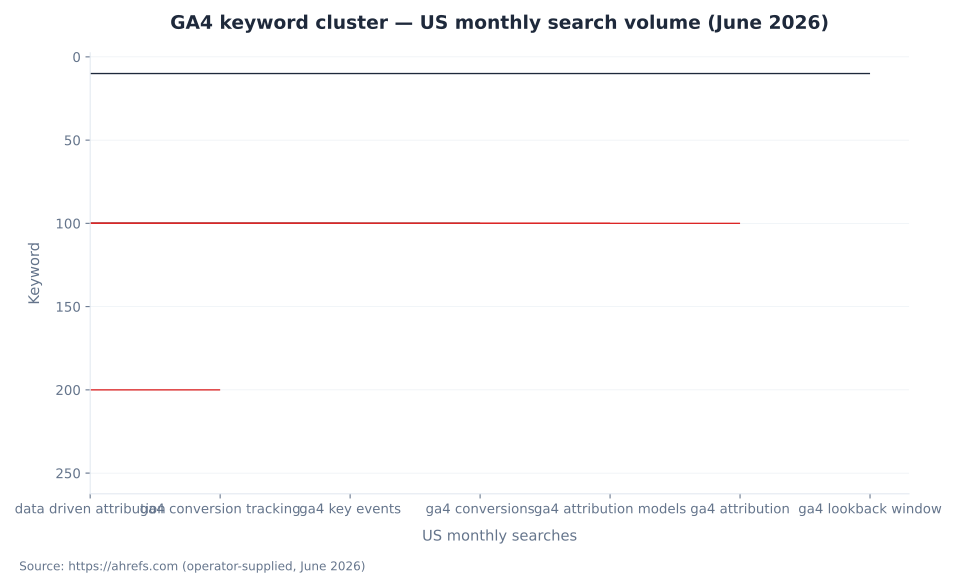
GA4 keyword cluster — US monthly search volume (June 2026)
GA4 Conversion Counting Methods
GA4 offers two counting methods for key events: once per event (count every occurrence) and once per session (maximum one per session). The default depends on how the key event was created, not a single property-level setting. Practitioners auditing inherited properties must verify the counting method per key event — not per property.
| Method | What it counts | Default for | Use for | Avoid for |
|---|---|---|---|---|
| Once per event | Every instance of the key event, regardless of how many times it fires in a session | All new key events created directly in GA4 (post-April 2023) | Purchases, downloads, distinct lead form submissions, API calls | Scroll-depth events, video progress events — any event that fires repeatedly per session |
| Once per session | Maximum one key event per session per user | Key events migrated from Universal Analytics goals via Setup Assistant | Simple visit-based goals; legacy UA parity | E-commerce with multi-item carts; any action where cumulative volume matters |
The practical consequence of a once-per-session default on a lead generation property: if a user submits three forms in one session, GA4 records one key event, not three. This systematically understates lead volume in multi-step funnels. The inverse problem — using once-per-event on a scroll-depth key event — inflates key event counts with no business signal. Neither scenario triggers a GA4 warning in the UI.
MB Adv Agency audits counting methods as the first check on any inherited GA4 property. A property migrated from UA via the Setup Assistant goals import tool carries the once-per-session default for those migrated events while natively created events default to once-per-event. Both counting methods coexist in the same property with no visual distinction in reports. The audit requires checking the three-dot menu next to each key event in Admin → Data display → Events.
GA4 attribution lookback window by event type (days)
How to Mark an Event as a Key Event in GA4
Any event that GA4 has collected can be marked as a key event directly in the Admin interface. No code change is required. The toggle applies retroactively to data already in the property — the key event count in reports will reflect historical occurrences of the event, not only future ones.
| Step | Action | Location in GA4 | Role required |
|---|---|---|---|
| 1 | Navigate to property Admin | Top-left Admin gear icon | Any |
| 2 | Open the Events table | Admin → Data display → Events | Any (read) |
| 3 | Locate the event in the Existing events table | Event rows list | Any (read) |
| 4 | Toggle "Mark as key event" | Toggle switch on the right side of the event row | Editor or above |
| 5 | (Optional) Set a default value | Click event name → Key event value | Marketer or above |
| 6 | (Optional) Set counting method | Three-dot menu next to key event → Change counting method | Editor or above |
| 7 | Confirm propagation | Key event data begins appearing in reports within minutes to a few hours | — |
Implementation context: GA4 key events fire based on the event names your Google Tag Manager setup sends. If the event has not been collected yet — because the tag has not fired — the event row will not appear in the Existing events table and cannot be toggled. The event must appear in the table before it can be marked. For new implementations, trigger the event manually in a test environment to populate the row before configuring it as a key event.
For enhanced conversions that supplement key event data with hashed first-party data, the key event must already be configured before enhanced conversions can be layered on top. Enhanced conversions add measurement accuracy; they do not replace the key event configuration.
GA4 attribution models: available (2026) vs. removed (2023)
GA4 Key Events vs. Google Ads Conversions: The Import Pipeline
When a GA4 key event is imported into Google Ads, it becomes a conversion action in Ads — but it is re-attributed by the Google Ads attribution model, not the GA4 model. The two measurements track the same underlying user actions with different credit assignments. This is the architectural reason GA4 and Google Ads conversion columns will never match exactly.
| Dimension | GA4 key event | Google Ads conversion (imported from GA4) |
|---|---|---|
| Defined in | GA4 Admin → Events | Google Ads → Tools → Conversions (imported from GA4); or created directly in Ads |
| Visible in | All GA4 reports (Traffic acquisition, Engagement, Advertising section) | Google Ads conversion columns; GA4 Advertising section (after link) |
| Attribution model | Property-level model (DDA default) | Per-conversion-action model set inside Google Ads (independent of GA4 setting) |
| Default status in Google Ads | N/A | Secondary — must be manually promoted to primary for Smart Bidding eligibility |
| Used for Smart Bidding? | No — GA4 does not bid | Only if set to primary conversion action status in Google Ads |
| Channel eligibility | All traffic across all channels | Configurable: "paid and organic" or "Google paid channels only" — the latter excludes organic |
| Impact on GA4 standard reports | Appears as key event in all standard reports | Appears in GA4 Advertising section only (not standard reports) |
The secondary-status default: Conversions created via the GA4 interface are set as secondary in Google Ads automatically. Secondary conversions appear in reporting but do not influence Smart Bidding. This is designed to prevent double-counting when both a GA4-imported conversion and a natively created Google Ads conversion action track the same event. Practitioners who configure a key event in GA4, import it, and then wonder why Target CPA is ignoring it have hit this default. The fix is to open the conversion action in Google Ads and change the optimization setting from "secondary" to "primary." See Google Ads metrics and KPIs for how conversion columns reflect primary vs. secondary status.
For the full attribution architecture comparison between the two platforms, see the Google Ads conversion tracking and attribution pillar. The short version: GA4 DDA and Google Ads DDA are different models trained on different data scopes. Expecting them to produce the same output is a category error.
Attribution Model Selection Guide
GA4's three remaining attribution models serve different measurement needs. Selecting the wrong model produces channel-level reports that misrepresent the contribution of upper-funnel touchpoints. The table below maps scenarios to the correct model and rationale.
| Scenario | Recommended model | Rationale |
|---|---|---|
| Property with multi-channel traffic (paid, organic, email, direct) and sufficient key event volume | Data-driven attribution | DDA evaluates converting vs. non-converting paths across all channels; correctly credits upper-funnel touchpoints that last-click ignores |
| Low-volume property where DDA has insufficient training data | Paid and organic last click | DDA with insufficient data silently reverts toward last-click behavior with added noise; deterministic last-click is the transparent fallback |
| Smart Campaigns or Performance Max with no organic or email traffic tracked in GA4 | Google paid channels last click | Only Google-paid touchpoints are in scope; cross-channel DDA signal is absent and would be noise |
| Audit or comparison baseline | Last click as secondary comparison | The Attribution models report (Admin → Advertising → Attribution) shows DDA vs. last-click side by side; channels that perform better under DDA have strong upper-funnel influence |
| Property recently migrated from UA; DDA eligibility unconfirmed | Paid and organic last click until DDA eligibility confirmed | UA properties start fresh in GA4; historical volume does not transfer; DDA needs time to accumulate training data in the new property |
DDA in GA4 evaluates up to 50 actions over the lookback window to compute fractional credit assignments. When a GA4 property has insufficient volume for the model to train reliably — Google does not publish the exact threshold in official documentation — the model's outputs become less stable. GA4 does not display a warning or ineligibility flag in the UI when this occurs. The only indication is instability in the DDA-vs-last-click comparison report: large swings in channel-level credit across reporting periods suggest insufficient training data.
MB Adv Agency uses the attribution models comparison report as a standard diagnostic in quarterly measurement reviews. A DDA model that consistently credits organic search 30–40% of conversions that last-click assigns entirely to paid search indicates organic is functioning as a significant upper-funnel channel — and that paid search bids should not be evaluated on last-click ROAS alone. This is the practical reason the DDA default matters: it changes which channels appear to "earn" spend.
Enhanced Conversions in GA4
Enhanced conversions supplement GA4 key event data by matching hashed first-party customer data — email address, phone number, home address — with Google's consented, signed-in user data. The purpose is to recover key events that standard cookie-based measurement misses due to cookie blocking, Safari's Intelligent Tracking Prevention, or consent mode restrictions.
The mechanism works at the Google infrastructure level: customer data is hashed locally before transmission. Google matches the hashed value against its own signed-in user data to attribute the conversion to a known ad interaction that was not captured by the standard tag. The result appears in reports as an additional attributed conversion — the underlying key event configuration is unchanged.
| Requirement | Detail |
|---|---|
| First-party data signal | Email address is the most widely available; phone number and home address expand match rates where collected |
| Hashing requirement | Data is hashed (SHA-256) before leaving the browser; raw PII never reaches Google servers |
| Account link | GA4 property must be linked to a Google Ads account for enhanced conversions to influence Google Ads attribution |
| What it improves | Attribution accuracy for key events that standard tag measurement misses; does not change the counting method or lookback window |
| What it does not change | Attribution model, lookback window, counting method, or key event definition — enhanced conversions layer on top of existing configuration |
For properties operating under consent mode — particularly relevant in the EU where consent rates below 70% are common — enhanced conversions recover signal that consent-blocked users would otherwise remove from reports entirely. The improvement is to measurement coverage, not to conversion rate. Enhanced conversions report what was happening before; they do not generate additional conversions. See GA4 data collection and privacy for the full consent mode interaction and the integrations and BigQuery pillar for exporting key event data for attribution modeling outside GA4's native reports.
For properties using Core Web Vitals optimization to improve landing page performance — a common parallel initiative in measurement-mature accounts — enhanced conversions provide cleaner data on whether page speed improvements actually translated to more measured key events or whether measurement gaps were masking real conversions all along.
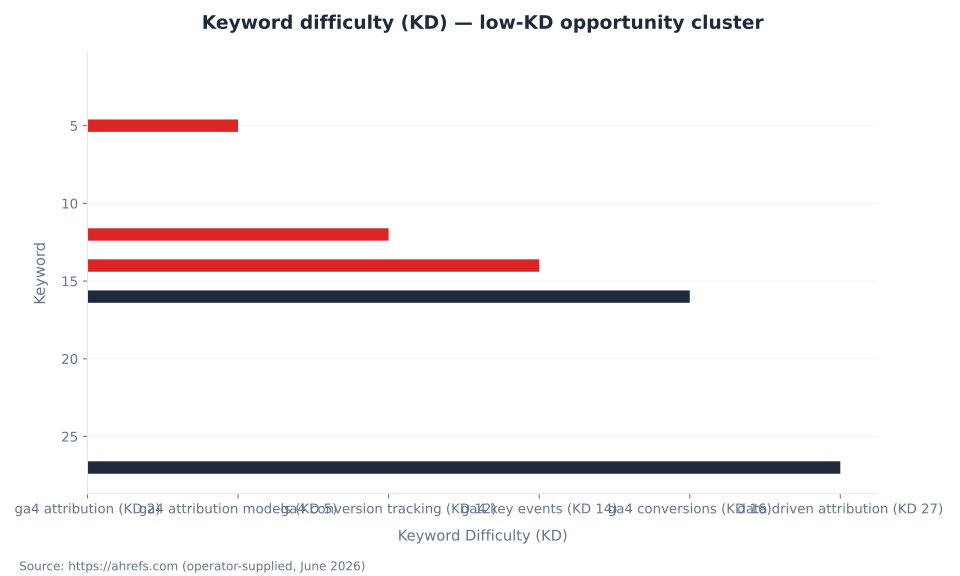
Keyword difficulty (KD) — low-KD opportunity cluster
How GA4 Data-Driven Attribution Works
GA4's data-driven attribution model uses machine learning to analyze converting and non-converting customer paths simultaneously and assigns fractional credit to each touchpoint based on its incremental contribution to the conversion. The model evaluates up to 50 actions over the 90-day lookback window for each key event. Credit is not split equally — touchpoints with higher incremental lift receive proportionally more credit.
DDA differs from rule-based models in a fundamental way: the credit assignments are not predetermined by a formula. They emerge from the data. A touchpoint that consistently appears in converting paths but rarely in non-converting paths receives high credit. A touchpoint that appears with equal frequency in both receives low credit. This means DDA outputs are property-specific — the same channel receives different credit percentages on different properties depending on how users in that property actually behave.
DDA scope caveat: The DDA model governs the Advertising section and attribution model comparison reports in GA4. Standard acquisition reports (Traffic Acquisition, User Acquisition) use paid-and-organic last click regardless of the property-level model setting. This means two reports in the same GA4 property show different channel credit for the same key events. Neither is wrong — they apply different attribution scopes by design. (Cardinal Path, GA4 DDA Overview)
When DDA has insufficient data volume to train reliably, it silently shifts toward last-click-like behavior. GA4 does not display an ineligibility warning. The only diagnostic is instability in the attribution models comparison report: DDA credit that swings erratically across reporting periods indicates the model is operating on thin data. For these properties, paid-and-organic last click is the transparent choice.
Attribution Model Removal Timeline
The consolidation from seven to three attribution models in GA4 happened across a defined sequence of milestones in 2023, ending with the March 2024 key event rename that completed the platform-level terminology update.
April 2023: Google announced intent to retire first-click, linear, time-decay, and position-based models from GA4 and Google Ads, citing adoption below 3% of conversions. (Google Ads Developer Blog, April 2023)
May 2023: New conversion actions in GA4 could no longer be configured to use the four deprecated models. Existing conversion actions using them continued to function. (Search Engine Land, October 2023)
October–November 2023: Full removal completed. All four models were removed from GA4 and Google Ads. Existing properties using the deprecated models were automatically migrated to DDA. The official Google support page states "as of November 2023"; Search Engine Land coverage published October 17, 2023 reported "mid-October." The full cutover completed sometime in this window. (Search Engine Land; Google Analytics Help)
March 21, 2024: GA4 renamed "conversions" to "key events" platform-wide, completing the terminology separation between GA4-measured actions and Google Ads-counted conversions.
2026: Three models in operation — DDA (default), paid-and-organic last click, Google paid channels last click. Historical reports using the removed models no longer exist in the GA4 interface. The Reports and Explorations section of GA4 does not surface a model-comparison option for the four removed models; only DDA vs. last-click comparison is available. For properties that need advanced attribution analysis beyond GA4's native models, raw event export to BigQuery enables custom attribution modeling outside the platform.
Three Misconceptions That Corrupt GA4 Measurement
Outdated documentation and pre-2024 tutorials leave three persistent misconceptions in circulation. Each one produces incorrect configuration decisions or misread reports. The correct position for each is stated below.
Misconception 1: "GA4 still calls them conversions — the rename was optional or partial."
The rename to key events is complete and permanent in GA4 as of March 21, 2024. There is no toggle to revert it. The word "conversion" in GA4 now refers exclusively to a key event imported into Google Ads. The Admin interface, all standard reports, Explorations, and the Admin API all use "key events." Any documentation predating March 2024 that uses "GA4 conversions" is describing what is now called a key event. The setup process is unchanged; only the label differs. (Google Analytics Help, March 2024)
Misconception 2: "GA4 uses last-click attribution by default."
GA4's default attribution model for key events is data-driven attribution. Last-click is available as a manual selection but is not the default. This has been the case since GA4's general availability — the platform was designed DDA-first. The confusion persists because Universal Analytics defaulted to last non-direct click, and practitioners who migrated assume parity. Checking the current model in Admin → Attribution Settings takes 30 seconds and eliminates the assumption. (Google — Get started with attribution)
Misconception 3: "The four removed models were just deprecated — I can still access historical data under them."
First-click, linear, time-decay, and position-based models were removed from GA4 entirely by November 2023. Existing properties using those models were automatically migrated to DDA. Historical reports using the deprecated models are no longer accessible in the GA4 interface — the models do not exist as a comparison option. The only remaining comparison is DDA vs. last-click. Any practitioner attempting to compare against a "position-based" baseline in 2026 must rebuild that analysis outside GA4, using raw data exported to BigQuery and a custom model. (Search Engine Land)
MB Adv Agency encounters all three misconceptions regularly in new client onboarding. The most consequential is Misconception 2 — practitioners comparing GA4 and Google Ads conversion columns and assuming GA4 "must be wrong" because it doesn't match the last-click Ads column are comparing DDA attribution against last-click attribution and treating the difference as an error rather than a model difference. Aligning on attribution model expectations before comparing platforms eliminates the majority of "why don't these numbers match" conversations. See also: GSC Performance Report for organic traffic data that can be used to cross-reference GA4 organic channel attribution.
Frequently Asked Questions
Methodology
This pillar draws on Google's official documentation (Google Analytics Help, Google Ads Help, Google Ads Developer Blog), third-party editorial coverage (Search Engine Land, Analytics Mania, Cardinal Path, nestscale.com, Analytics Playbook / kpplaybook.com), and Ahrefs keyword data supplied by the operator for June 2026. All numeric claims trace to a cited external source. No GA4 property-level DDA data thresholds are stated as official figures — Google does not publish an explicit numeric threshold in current documentation; the official threshold for GA4-native DDA differs from the legacy Universal Analytics MCF threshold (400 conversions/month) and the Google Ads DDA threshold (200–300 conversions per conversion action), neither of which applies to GA4 property-level DDA. Attribution model removal dates reflect the October–November 2023 window confirmed by Google's support page ("November 2023") and Search Engine Land coverage ("mid-October 2023"); the broader window is the accurate characterization. Reviewed by MB Adv Agency, June 2026.

As a Google Ads expert, I bring proven expertise in optimizing advertising campaigns to maximize ROI.
I specialize in sharing advanced strategies and targeted tips to refine Google Ads campaign management.
Committed to staying ahead of the latest trends and algorithms, I ensure that my clients receive cutting-edge solutions.
My passion for digital marketing and my ability to interpret data for strategic insights enable me to offer high-level consulting that aims to exceed expectations.
Google Partner Agency
We're a certified Google Partner Agency, which means we don’t guess — we optimize withGoogle’s full toolkit and insider support.
Your campaigns get pro-level execution, backed by real expertise (not theory).

4.9 out of 5 from 670+ reviews on Fiverr.
That’s not luck, that’s performance.
Highly recommend Matteo to set up your server side tracking. He has a deep understanding of e-commerce tracking and will go above and beyond to make sure everything is set up correctly and working 100%. If you are scaling your store this set up is non-negotiable in my opinion and there isn't many people who have this much knowledge or put the effort in to get it right. Thanks again!

avorodesign.com
I can only recommend Matteo! He was very patient, professional and very knowledgeable about GA4, Consent Mode v2, and GDPR compliance. Communication was clear, and the setup was done professionally and efficiently. Highly recommend him for anyone needing reliable tracking implementation.

www.natureiki.life
Matteo shines in the realm of online professionals. His work is not only deep in data but also complemented by his proactive communication and cooperation, setting a new standard for freelancers. If you want someone who truly exceeds expectations, look no further. Highly recommended!

www.omanbeverlysmyth.com
Exceptional Service Beyond Expectations - Outstanding Service Impeccable depth, flawless delivery, and exceptional language fluency—this service exceeded all expectations. Highly recommended. Matteo truly ROCKS!!!

ium-paris.com
Top-notch, always highly value working with Matteo. An absolute Google Ads Genius. This is approximately the 8th time I have hired him and he's helped us get 6-7 ROAS. We are excited in continuing to improve our lead flow. Hire this guy if you need Google Ads help. Thanks Matteo!

www.dleeventgroup.com
I finally found the guy who can setup server side tracking and all the ecosystem properly. I definitely recommend Matteo. He is very responsive, kind and wants to dig into things. He configured GA4, Meta, Google Ads, Outbrain and google consent v2 with Cookiebot. Thanks Matteo.

inomega.fr
MB Adv delivered exceptional work with outstanding professionalism and lots of patience, taking time to see effects of changes made and not just do the work and submit it. The proactive communication and video summaries of the work completed made working with Matteo a pleasure, as he consistently went above and beyond. Highly recommended for web analytics projects! We are already working on another project.

www.withnellsensors.co.uk
Working with Matteo on my Google Ads was a game-changer. He's not just a strategist, he's a true partner. He understood my goals and tailored a campaign that perfectly reached my target audience. I'm grateful for his expertise and dedication.

dccargo.com
Click-driven mind
with plastic-brick obsession.
We build Google Ads campaigns with the same mindset we use to build tiny brick worlds: strategy, patience, and zero tolerance for wasted pieces.
Data is our blueprint. Growth is the only acceptable outcome.