Server-Side vs. Client-Side GTM: Architecture, Trade-Offs & Decision Guide (2026)

Ad-Blocker Reality Check
~80%
of widely used ad-blocker extensions detect and block sGTM requests even with a custom first-party subdomain in use. Blocklist-based blockers are bypassed; behavioral and heuristic browser extensions are not. Do not build a business case on sGTM defeating ad blockers.
Source: paolobietolini.com (2026)
Server-Side vs. Client-Side Tagging: What the Terms Actually Mean
The difference between server-side and client-side tagging in Google Tag Manager is execution location — where tags run, not where data is stored. In client-side GTM, the web container loads in the visitor’s browser. Every configured tag (GA4, Meta Pixel, Google Ads, and any other vendor) fires from that browser, each sending its own request directly to a third-party endpoint: google-analytics.com, facebook.com, and so on. The browser is simultaneously the runtime environment and the origin of every outbound tracking call.
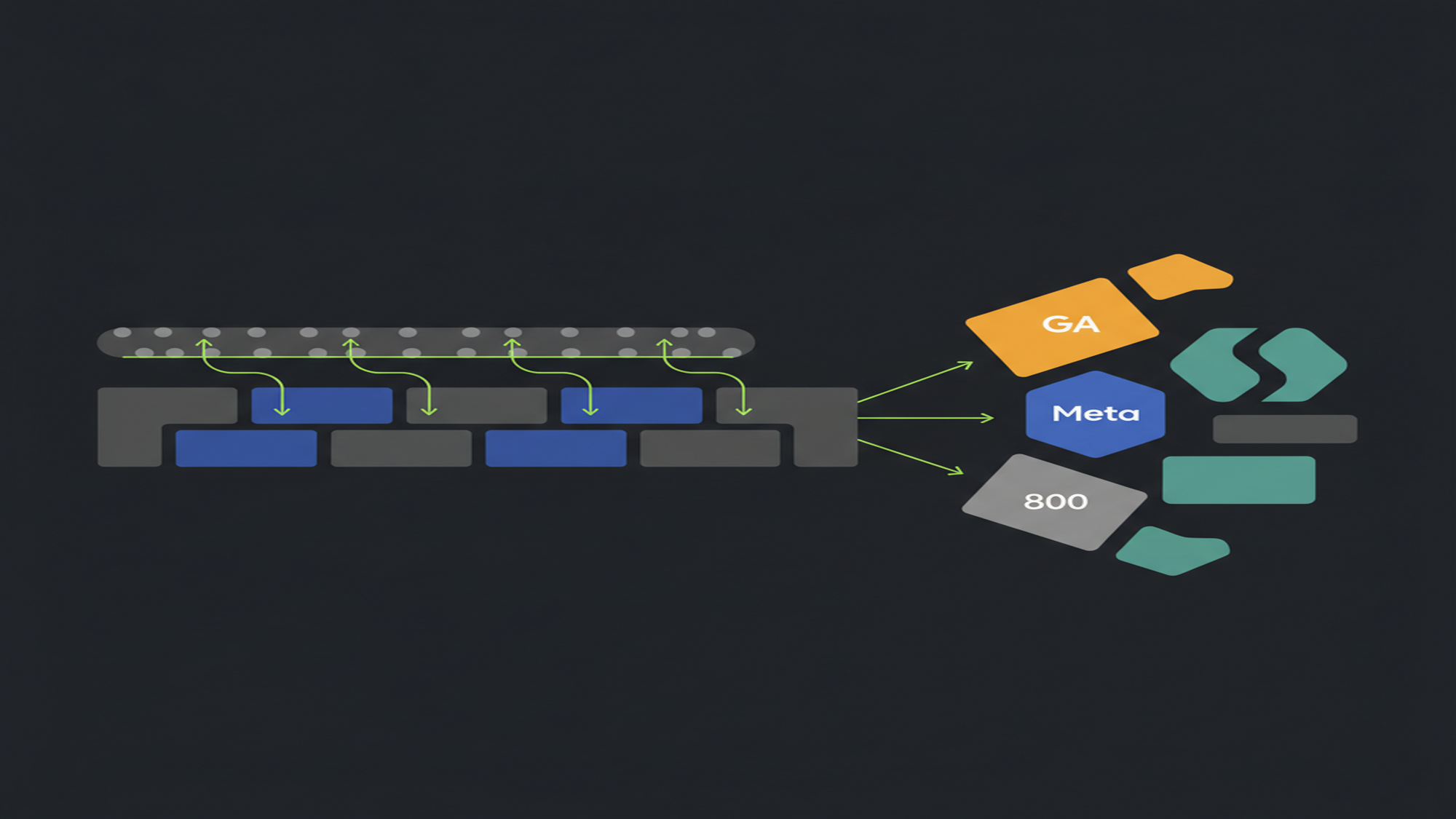
Server-side GTM adds a second container — hosted on infrastructure you control, typically Google Cloud Run or a managed provider — that sits between the browser and vendor endpoints. The browser sends a single measurement request to a subdomain you own (e.g., metrics.yourdomain.com). The server container receives it, applies tag logic, and forwards data to vendors server-to-server. The browser never contacts google-analytics.com or facebook.com directly. That architectural shift — browser → your server → vendors, instead of browser → vendors directly — is what produces every benefit and every limitation discussed on this page.
Page-speed behavior changes because the browser sends one outbound call instead of one per vendor. Ad-blocker resilience changes because the endpoint is a first-party domain, not a known third-party tracker. Cookie behavior changes because a server can set cookies directly in the HTTP response. Data control improves because you intercept the data stream before it reaches any vendor, enabling PII redaction or hashing server-side before forwarding.
For the mechanics of the server container in isolation — its tag, trigger, and variable model — see Server-side tagging in GTM. For Cloud Run setup, GA4 client configuration, and domain routing, see Server-side GTM implementation. Readers new to GTM can start with What is Google Tag Manager. The full concept index is at the Google Tag Manager glossary. This page focuses on the comparative decision: what each model solves, where each fails, and the signals that indicate whether adding a server container is worth the infrastructure cost for a specific organization.
Key Takeaways
- The load-bearing difference is execution location: client-side tags run in the browser; server-side tags run on your cloud infrastructure, receiving one forwarded measurement call from the browser.
- Standard sGTM deployments run both containers. The web container collects page interactions and fires a measurement call to the server container. “Switching to server-side” means adding a server container, not removing the web container.
- sGTM’s strongest documented ROI is in paid media conversion signals — Meta Conversions API, Google Ads Enhanced Conversions, TikTok Events API — not GA4 session accuracy.
- Safari ITP cookie extension is conditional. Since Safari 16.4, server-set cookies receive the same 7-day cap unless the tagging server and website share an IP address prefix. Most managed deployments do not satisfy this without deliberate infrastructure configuration.
- ~80% of ad-blocker extensions still detect sGTM even with a custom subdomain. The resilience is real against blocklist-based blockers; it is not reliable against heuristic browser extensions.
- Consent Mode v2 is not automatic. An unconfigured server container forwards data to vendors regardless of user consent state. The wiring must be explicit in the server container setup.
Where Client-Side GTM Breaks Down
Client-side GTM is the correct default for most organizations. It is free, low-friction to set up, and covers the tracking needs of any site that does not hit specific data-quality failure modes. Those failure modes are worth understanding precisely, because they define the boundary at which sGTM changes from optional infrastructure to measurable ROI.
Ad-blocker interception. Tags firing from the browser target known third-party domains — googletagmanager.com, google-analytics.com, facebook.com. Browser extensions and network-level blockers use blocklists of these domains. The result: a portion of sessions, conversions, and behavioral events are silently dropped before they reach the measurement stack. The impact is highest in developer-heavy, tech-adjacent, and privacy-aware audiences — the demographics most likely to be evaluating a software purchase. GA4 data collection and privacy covers what GA4’s own modeling can and cannot recover from browser-side loss.
Safari ITP cookie truncation. WebKit’s Intelligent Tracking Prevention caps JavaScript-set cookies at 7 days from the moment they are created (webkit.org/tracking-prevention/). With link decoration — gclid, fbclid, utm_* in the referrer URL — the cap tightens to 24 hours. A returning customer who clicked a Google Ads link more than 7 days ago has no persistent identifier in Safari: the session appears as a new user. Safari holds 24% of global browser share (seresa.io, 2026). For businesses where the conversion window regularly exceeds 7 days, this is a genuine attribution gap.
MB Adv Agency’s read: Safari ITP and ad-blocker interception are sequential in severity depending on traffic mix. If iOS/Safari share is under 10% and paid media spend is under $5,000/month, the data-quality gap from client-side GTM rarely justifies the infrastructure overhead of sGTM. The decision changes above that threshold — particularly when conversion windows exceed 7 days and iOS traffic is material.
Third-party request context. Every vendor tag fires in a third-party context — the browser treats requests to google-analytics.com as cross-site calls. Storage partitioning and Enhanced Tracking Protection (Firefox, Safari) restrict what cross-site cookies can access and store. The third-party execution context is the root cause of most ITP degradation, not a side effect. Moving to a first-party request context is what sGTM directly addresses.
Page performance under tag bloat. Each vendor script adds JavaScript parse time, network round-trips, and render-blocking potential. A documented practitioner case study showed a 39-point PageSpeed Insights improvement after migrating vendor scripts from browser to server container (paolobietolini.com, 2026). The improvement is real — but only when vendor scripts are actually removed from the browser. Adding a server container without removing corresponding client-side scripts produces no page-speed benefit. How tag weight affects Core Web Vitals and page experience is a separate diagnostic, but the connection is direct: render-blocking scripts are the primary non-server cause of poor LCP and TBT scores.
Architecture and Trade-Offs: Client-Side vs. Server-Side GTM
The table below compares both models across the dimensions that matter operationally. The sGTM column reflects the hybrid model — web container plus server container — which is how Google’s own documentation describes production deployments. A hypothetical server-only setup, without a web container, is not the standard architecture. Sources: Google for Developers — server-side tagging intro; paolobietolini.com (2026); analyticsmania.com.
| Dimension | Client-Side GTM | Server-Side GTM (hybrid) |
|---|---|---|
| Where tags execute | In the visitor’s browser | On your cloud server infrastructure |
| Container architecture | One web container | Web container + server container (both run) |
| Data flow | Browser → multiple vendor endpoints directly | Browser → your server → vendor endpoints |
| Request context | Third-party (requests go to google-analytics.com, facebook.com, etc.) | First-party (requests go to your subdomain, e.g., metrics.yourdomain.com) |
| Cost | Free (GTM is free) | $20–$300+/month depending on traffic and hosting option |
| Setup complexity | Low — one snippet, GUI-driven configuration | High — Cloud Run or managed hosting, DNS config, GA4 client wiring, Consent Mode v2, deduplication |
| Ad-blocker resilience | Poor — blocked by most ad-blocker extensions and network-level filters | Partial — bypasses blocklist-based blockers; ~80% of extensions still detect custom-domain sGTM |
| Safari ITP cookie lifetime | JavaScript cookies capped at 7 days (24 hrs with link decoration) | Can extend to 365–400 days IF IP alignment is correct; defaults to 7 days without it (Safari 16.4+) |
| PII redaction | Not possible — vendor tag receives whatever the browser sends | Possible — hash or strip PII server-side before the outbound call reaches any vendor |
| Consent Mode v2 | Standard GTM Consent Mode configuration | Must be explicitly wired through the server container; not automatic |
| Ongoing maintenance | Low — GUI-managed, no server infrastructure | Ongoing — monitoring, versioning, platform updates, deduplication logic |
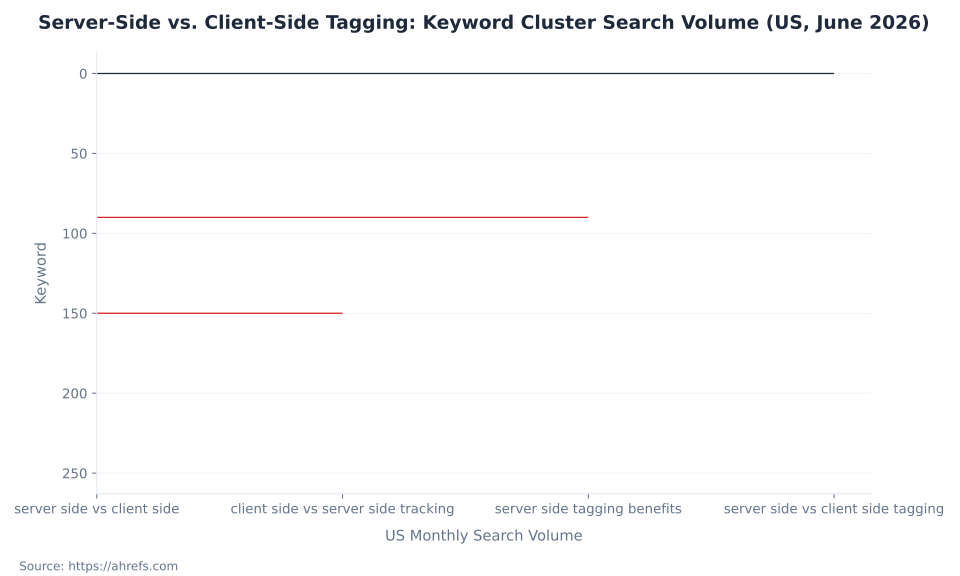
Server-Side vs. Client-Side Tagging: Keyword Cluster Search Volume (US, June 2026)
Who Genuinely Needs sGTM: A Decision Framework
The decision is not binary. It is a question of whether conversion signal recovery ROI justifies the ongoing infrastructure cost and maintenance burden for a specific organization. Multiple practitioners cite $5,000/month in paid media spend as the floor where that calculation typically turns positive (paolobietolini.com; ceaksan.com, 2026). Below that threshold, the data loss rarely represents meaningful misattribution budget. For implementation specifics once you decide to proceed, see Server-side GTM implementation. For the GA4 conversion signals sGTM is protecting, see GA4 conversions and key events.
| Signal | Likely fine with client-side GTM | Strong case for adding sGTM |
|---|---|---|
| Paid media spend | Under $5,000/month | $5,000+/month where attribution gaps represent real budget misallocation |
| Primary measurement goal | Analytics accuracy (session counts, behavioral data) | Paid media conversion signals (Meta CAPI, Google Enhanced Conversions, TikTok Events API) |
| Safari/iOS traffic share | Low (under 10% of sessions) | High Safari/iOS share + IP alignment achievable on current hosting |
| Technical team | Marketing analyst manages GTM; no GCP access | Developer or analytics engineer available for ongoing infrastructure maintenance |
| Privacy/compliance posture | Standard consent setup; no strict data-residency requirement | GDPR or data-residency requirements; need to redact PII before vendor forwarding |
| Tag set size | Under 10 vendor scripts; no measurable page-speed impact | 10+ vendor scripts measurably degrading page load; removing scripts from browser is feasible |
| Infrastructure appetite | No GCP footprint; no bandwidth to manage cloud infrastructure | Existing GCP account or managed provider (Stape, etc.) is acceptable ongoing overhead |

Weighing server-side GTM for your measurement stack?
MB Adv Agency audits conversion data loss, evaluates whether sGTM ROI is positive for your specific paid media mix, and handles implementation if the case stacks up.
Get a measurement audit →The Hybrid Model: Both Containers Run
The most consequential misunderstanding in conversations about sGTM is the mental model of “switching” from client-side to server-side. Google’s official architecture does not work as a replacement — it works as an addition. The web container remains active, handling page interactions, triggers, variables, and firing the measurement call to the server container. The hybrid is the design, not a transitional state.
Two practical consequences follow. First, adding sGTM means adding infrastructure on top of existing client-side GTM — the web container does not go away, and the browser still loads a GTM snippet. Operational complexity doubles rather than shifts. Second, removing vendor scripts from the browser is a separate workstream: each vendor tag must be individually configured to fire from the server container and its client-side script removed. Until that migration is complete for a given vendor, both the browser tag and the server-side tag fire, creating duplicate events that require deduplication logic. GTM debugging, testing, and performance covers the validation approach for hybrid deployments. Once the server container is routing clean event data, GA4 integrations and BigQuery becomes the next layer — BigQuery export off the server container gives you a raw signal stream without browser-layer noise.
Most sGTM deployments run both containers. The web container collects page interactions and fires one measurement call to the server container. The server container handles vendor distribution. “Switching to server-side” typically means adding a server container, not removing the web container. Removing vendor scripts from the browser is a deliberate, tag-by-tag migration — not a side effect of enabling sGTM.
Three Misconceptions About Server-Side GTM
Misconception 1: “sGTM defeats ad blockers.” Partially true, substantially overstated. Using a first-party subdomain as the sGTM endpoint bypasses blocklist-based ad blockers that explicitly target known third-party domains. It does not bypass behavioral or heuristic detection. Analysis found 80% of widely used ad-blocker software detects and blocks sGTM requests even with custom-domain configurations (paolobietolini.com, 2026). The benefit is real against network-level and simple blocklist blockers. It is not reliable against the more capable browser extensions.
Misconception 2: “sGTM eliminates the need for client-side JavaScript.” Standard deployments require the web container. It handles page interactions, triggers, and the measurement call to the server. Fully eliminating vendor scripts from the browser requires a tag-by-tag migration — not a toggle. Google’s reference architecture has both containers running. An Analytics Mania guide to sGTM documents this hybrid architecture in detail. [GA4 events and parameters] still originate from the web container’s data layer push — the server container receives and forwards them, not generates them.
Misconception 3: “sGTM is a compliance tool that lets me collect more data.” sGTM moves where processing happens; it does not change what consent the user has given. A user who declined analytics consent must not be tracked regardless of whether tags run in the browser or on a server. Properly configured sGTM wires Consent Mode v2 through the server container — an unconfigured server container forwards data to vendors regardless of consent state, which is a direct compliance failure. GTM consent mode and privacy covers the correct wiring for both containers.
Safari ITP and the IP-Matching Rule sGTM Does Not Automatically Solve
The Safari ITP cookie lifetime argument for sGTM is real in principle and conditional in practice. JavaScript-set cookies are capped at 7 days by WebKit’s Intelligent Tracking Prevention; with link decoration (gclid, fbclid, utm_*), the cap tightens to 24 hours (webkit.org/tracking-prevention/). Server-set cookies can specify expiry of 365–400 days in the Set-Cookie header.
The catch: since Safari 16.4, Apple applies the same 7-day cap to server-set cookies when the tagging server’s IP address prefix (first two octets) does not match the website’s IP address prefix (seresa.io, 2026). Standard deployments on Google Cloud Run, Stape, or other managed cloud providers use IP ranges that differ from shared web hosting. Safari silently overrides the Set-Cookie expiry to 7 days regardless of what the header says. The expiry reads as 400 days in the response header; Safari DevTools shows it expiring in 7 days.
The condition for the longer lifetime: both the website and the tagging server must share an IP address prefix — achievable when the same CDN or load balancer fronts both, but not in standard multi-tenant managed infrastructure without deliberate configuration. Safari 26, expected later in 2026, will strip gclid from URLs in standard browsing, compounding attribution loss further (seresa.io, 2026). Verify cookie expiry in Safari DevTools before claiming this benefit for any specific client setup. Stape’s documentation on cookie lifetime extension via sGTM covers what IP alignment requires in practice.
MB Adv Agency’s position: before advising any client that sGTM solves their Safari attribution problem, the first question is whether IP alignment is achievable on their specific hosting stack. Sites on shared web hosting (SiteGround, Kinsta, WP Engine) routing through Cloud Run get the 7-day cap regardless. The question is not whether sGTM supports long-lived cookies — it does in principle — it is whether the specific infrastructure supports the prerequisite for that benefit. For GA4 session accuracy in particular, the Safari ITP gap remains without IP alignment.
Consent Mode v2 Is Not Automatic in sGTM
Consent Mode v2 became mandatory for EEA users in March 2024 under Google’s updated EU User Consent Policy. The client-side web container’s Consent Mode configuration does not propagate automatically to the server container. An sGTM deployment that omits this step forwards data to vendors regardless of user consent state — a direct compliance failure, not a grey area (developers.google.com/tag-platform/tag-manager/server-side/intro; ceaksan.com, 2026).
The fix is standard sGTM practice: configure the server container to read the consent state forwarded from the web container and gate tag firing accordingly. It is frequently omitted in rushed deployments. The compliance risk from an unconfigured server container is higher than from a client-side-only setup where at least the browser-level Consent Mode signals gate the tags. GTM consent mode and privacy covers how Consent Mode v2 wires through both containers correctly. How GA4 handles data collection under server-side setups and consent restrictions is covered in GA4 data collection and privacy.
Ad-blocker detection rate
~80%
of widely used ad-blocker extensions detect and block sGTM even with a custom first-party subdomain. Source: paolobietolini.com (2026).
Production cost floor
$100–$300
per month for 2–3 Cloud Run instances at ~$50/instance/month. Source: Google for Developers (sst-fundamentals/7-planning-infrastructure).
Safari cookie cap (no IP match)
7 days
Safari 16.4+ enforces the 7-day ITP cap on server-set cookies when tagging server and website IP prefixes do not match. Source: seresa.io (2026).
Safari global browser share
24%
of global browser share as of 2026. Higher in mobile-first and consumer audiences. Source: seresa.io (2026).
Frequently Asked Questions
Does server-side GTM defeat ad blockers?
No — partially true is the accurate framing. Using a custom first-party subdomain (e.g., metrics.yourdomain.com) as the sGTM endpoint bypasses blocklist-based ad blockers that target known third-party domains like googletagmanager.com and google-analytics.com. Those blockers maintain a list of known tracker hostnames; a subdomain you control is not on the list. The problem: behavioral and heuristic ad-blocker extensions do not rely on static blocklists. They detect tracking patterns, request shapes, and JavaScript behaviors. Analysis found 80% of widely used ad-blocker software can detect and block sGTM requests even with a custom domain in use (paolobietolini.com, 2026). The benefit from sGTM is meaningful against simple network-level filters and browser default tracking prevention — it is not a reliable bypass against the more capable browser extensions. Do not present sGTM as an ad-blocker bypass to stakeholders. Present it as improved measurement resilience against a specific class of blockers, with the 80% figure as the honest ceiling on that resilience.
Does server-side GTM automatically extend Safari cookie lifetimes beyond 7 days?
No — not without specific infrastructure configuration. Safari 16.4 and later apply the same 7-day ITP cap to server-set cookies when the tagging server’s IP address prefix (first two octets) does not match the website’s IP address prefix (seresa.io, 2026). Standard deployments on Google Cloud Run, Stape, and other managed cloud providers use IP ranges that differ from typical shared web hosting. The Set-Cookie response header reads “Expires: 400 days” — and Safari DevTools shows the cookie expiring in 7 days regardless. The silent override is the failure mode: there is no browser warning or server error. The condition for the full 365–400 day lifetime: both the website and the tagging server must share an IP address prefix — achievable with a shared CDN or load balancer, but requiring deliberate configuration. Verify cookie expiry in Safari DevTools before claiming this benefit for a specific client. Safari 26, expected later in 2026, will strip gclid from URLs in standard browsing, compounding attribution loss further independent of cookie behavior.
Do I need to replace my client-side GTM container to use server-side GTM?
No. The standard sGTM architecture runs both containers in parallel. The web container (client-side) remains active and is responsible for page interactions, triggers, variables, and firing the GA4 measurement protocol call to the server container. The server container receives that call and handles vendor distribution. Google’s own documentation for this setup — support.google.com/tagmanager/answer/13387731 — describes the dual-container model as the production architecture, not a transitional state. “Switching to server-side” in practice means adding a server container on top of the existing web container. Fully removing vendor scripts from the browser — so the browser sends only one measurement call and no vendor JavaScript — requires a separate, tag-by-tag migration. Each vendor tag must be individually configured to fire from the server container and its client-side script removed. Until that migration is complete for a given vendor, both the browser tag and the server-side tag fire, requiring deduplication logic. MB Adv Agency has found this migration scope is the element most frequently underestimated in sGTM planning conversations.
How much does server-side GTM cost per month?
The range is wide, and the bottom is free. A single Google Cloud Run instance in testing mode qualifies for GCP’s free tier — suitable for evaluation only, with cold-start failure risk and no redundancy. A production-grade deployment on Cloud Run requires a minimum of 2–3 instances for redundancy, at $50/instance/month (1 vCPU / 0.5 GB / CPU-always-allocated), putting the floor at $100–$150/month before egress and logging costs. A mid-market ecommerce setup with 3 instances and material egress runs $240–$300/month (tagspecialist.ca, 2026). Managed hosting providers like Stape start around $20/month for low-traffic sites and scale with request volume. Self-hosted on a VPS runs $5–$20/month in server costs but carries the highest maintenance burden. The cost is real and ongoing — not a one-time implementation expense. The ROI question is whether conversion signal recovery from paid media attribution justifies the monthly infrastructure cost. Multiple practitioners place the positive-ROI threshold at $5,000+/month in paid media spend. Source: Google for Developers (sst-fundamentals/7-planning-infrastructure); tagspecialist.ca (2026).
Is server-side GTM a compliance solution that lets me collect data from users who declined consent?
No. sGTM moves where processing happens; it does not change what consent the user has given. A user who declined analytics or advertising consent must not be tracked regardless of whether tags execute in the browser or on a server. The legal obligation is the consent obtained, not the technical mechanism. Properly implemented sGTM wires Consent Mode v2 through the server container — consent signals from the client-side container are forwarded to the server container, which gates tag firing accordingly. This is standard sGTM practice and is explicitly required. An sGTM deployment that does not wire Consent Mode v2 through the server side will forward data to vendors regardless of consent state — that is a compliance gap, not a feature. Consent Mode v2 became mandatory for EEA users in March 2024. The distinction that matters: sGTM is a data-quality and performance tool. Consent compliance is a separate obligation that must be met regardless of which tagging architecture is in use.
At what point does the ROI case for server-side GTM typically become positive?
Multiple practitioners cite $5,000/month in paid media spend as the practical floor (paolobietolini.com; ceaksan.com, 2026). Below that threshold, the conversion data loss from ad-blocker interception and Safari ITP rarely represents meaningful enough misattribution budget to justify $100–$300/month in infrastructure plus ongoing maintenance overhead. Above that threshold — especially where media mix includes Meta Ads with high iOS traffic share — server-to-server conversion API signals (Meta Conversions API, Google Ads Enhanced Conversions) are where the documented recovery is strongest. Named case studies show conversion recovery ranging across a wide span depending on media mix, iOS traffic share, and implementation quality (paolobietolini.com, 2026). These results are vendor and practitioner-reported from specific configurations — they are not guarantees, and they are not MB Adv client figures. The correct approach: audit your current conversion data loss before building a business case. Compare GA4 session counts against ad platform attribution, check Safari/iOS traffic share in GA4, and calculate what a conservative recovery improvement would be worth at your current ROAS. If the math works, the infrastructure cost is justified. For the Google Ads conversion tracking and attribution side of this calculation, that pillar covers the measurement gaps sGTM is meant to address.
MB Adv Agency
Not sure if server-side GTM is the right call?
The decision hinges on paid media spend, iOS traffic share, and whether IP alignment is achievable on your hosting stack. If you are evaluating sGTM or have an existing implementation that needs review, reach out. Browse all GTM concepts at the Google Tag Manager glossary, or explore the measurement layer GTM feeds at the Google Analytics 4 glossary.
Talk to us →Data and methodology: Keyword search volume from Ahrefs, June 2026 (operator-supplied; data/google-tag-manager/server-side-vs-client-side-tagging.json). Architecture and dual-container model from Google Tag Manager Help (support.google.com/tagmanager/answer/13387731) and Google for Developers (developers.google.com/tag-platform/tag-manager/server-side/intro), fetched June 2026. Safari ITP IP-matching rule from seresa.io (2026). Ad-blocker detection rate and Cloud Run cost figures from paolobietolini.com (2026). Infrastructure cost ranges cross-referenced against Google for Developers (sst-fundamentals/7-planning-infrastructure), stape.io, and tagspecialist.ca (2026). Consent Mode v2 compliance requirements from ceaksan.com (2026) and Google for Developers. All mechanics web-verified June 2026. No MB Adv client data used; all numeric claims trace to named third-party sources. Reviewed by MB Adv Agency, June 2026.

As a Google Ads expert, I bring proven expertise in optimizing advertising campaigns to maximize ROI.
I specialize in sharing advanced strategies and targeted tips to refine Google Ads campaign management.
Committed to staying ahead of the latest trends and algorithms, I ensure that my clients receive cutting-edge solutions.
My passion for digital marketing and my ability to interpret data for strategic insights enable me to offer high-level consulting that aims to exceed expectations.
Google Partner Agency
We're a certified Google Partner Agency, which means we don’t guess — we optimize withGoogle’s full toolkit and insider support.
Your campaigns get pro-level execution, backed by real expertise (not theory).

Click-driven mind
with plastic-brick obsession.
We build Google Ads campaigns with the same mindset we use to build tiny brick worlds: strategy, patience, and zero tolerance for wasted pieces.
Data is our blueprint. Growth is the only acceptable outcome.

4.9 out of 5 from 670+ reviews on Fiverr.
That’s not luck, that’s performance.
Highly recommend Matteo to set up your server side tracking. He has a deep understanding of e-commerce tracking and will go above and beyond to make sure everything is set up correctly and working 100%. If you are scaling your store this set up is non-negotiable in my opinion and there isn't many people who have this much knowledge or put the effort in to get it right. Thanks again!

avorodesign.com
I can only recommend Matteo! He was very patient, professional and very knowledgeable about GA4, Consent Mode v2, and GDPR compliance. Communication was clear, and the setup was done professionally and efficiently. Highly recommend him for anyone needing reliable tracking implementation.

www.natureiki.life
Matteo shines in the realm of online professionals. His work is not only deep in data but also complemented by his proactive communication and cooperation, setting a new standard for freelancers. If you want someone who truly exceeds expectations, look no further. Highly recommended!

www.omanbeverlysmyth.com
Exceptional Service Beyond Expectations - Outstanding Service Impeccable depth, flawless delivery, and exceptional language fluency—this service exceeded all expectations. Highly recommended. Matteo truly ROCKS!!!

ium-paris.com
Top-notch, always highly value working with Matteo. An absolute Google Ads Genius. This is approximately the 8th time I have hired him and he's helped us get 6-7 ROAS. We are excited in continuing to improve our lead flow. Hire this guy if you need Google Ads help. Thanks Matteo!

www.dleeventgroup.com
I finally found the guy who can setup server side tracking and all the ecosystem properly. I definitely recommend Matteo. He is very responsive, kind and wants to dig into things. He configured GA4, Meta, Google Ads, Outbrain and google consent v2 with Cookiebot. Thanks Matteo.

inomega.fr
MB Adv delivered exceptional work with outstanding professionalism and lots of patience, taking time to see effects of changes made and not just do the work and submit it. The proactive communication and video summaries of the work completed made working with Matteo a pleasure, as he consistently went above and beyond. Highly recommended for web analytics projects! We are already working on another project.

www.withnellsensors.co.uk
Working with Matteo on my Google Ads was a game-changer. He's not just a strategist, he's a true partner. He understood my goals and tailored a campaign that perfectly reached my target audience. I'm grateful for his expertise and dedication.

dccargo.com